
Índice
- What Does a Complete Flash Card Set Include?
- Choose Flash Card Dimensions Around the Learning Task
- Design Readable Cards for the Intended Viewing Distance
- Compare Card Stocks, Finishes and Corner Options
- Keep Double-Sided Flash Cards Correctly Matched
- Plan Flash Card Collation Before Production
- Match Flash Card Packaging to the Finished Set
- Approve Content, Materials and Set Assembly
- Flash Card Printing Specifications and Buyer Checklist
- Key Takeaways for a Complete, Usable Set
A practical guide to manufacturing complete educational flash card sets, from choosing dimensions and readable layouts to matching card faces, verifying collation and sizing packaging.
What Does a Complete Flash Card Set Include?
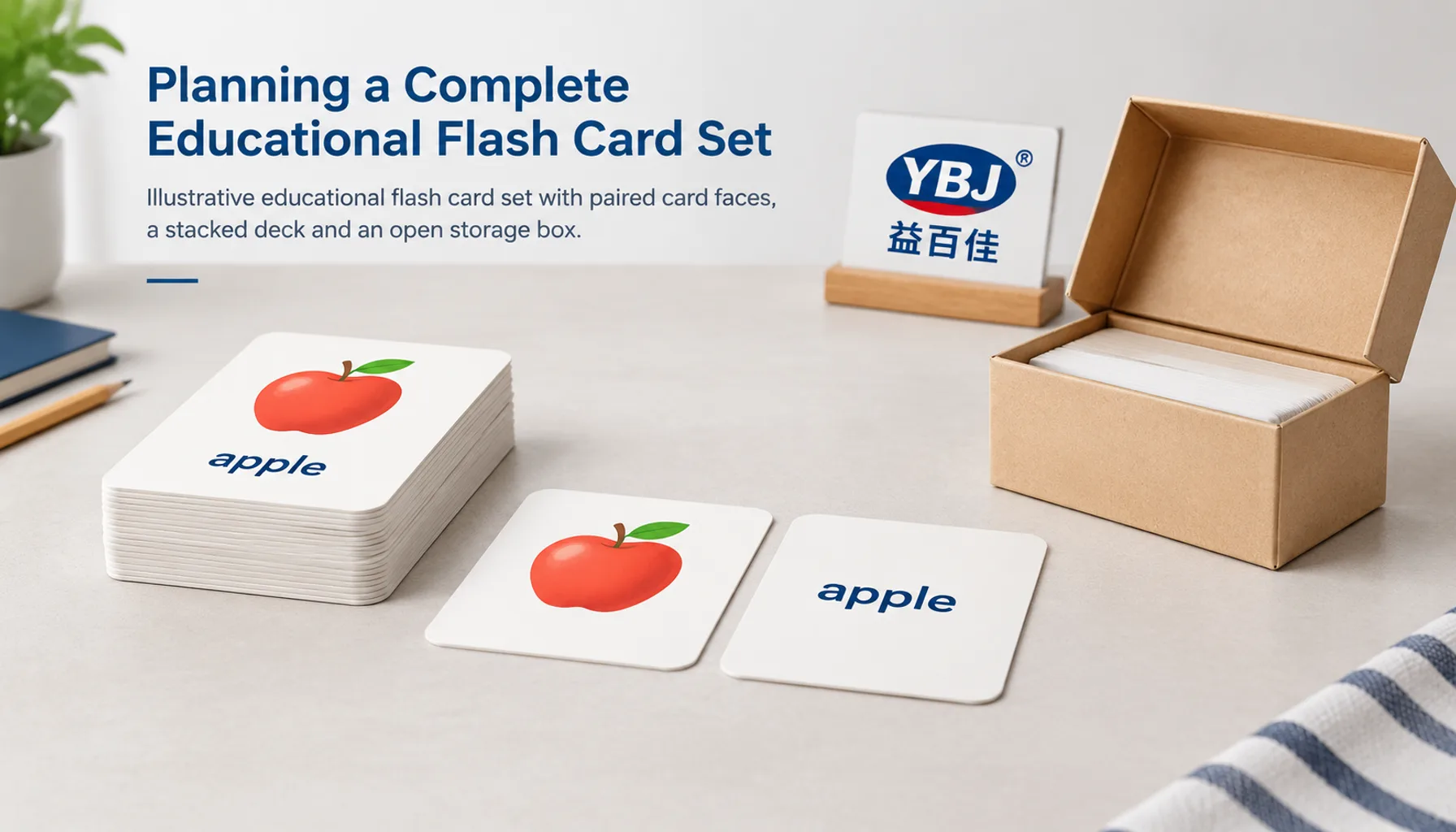
Flash card printing turns educational artwork into a complete set of cut cards, with readable content, correctly matched fronts and backs, a defined card sequence and suitable packaging. Start by specifying how learners will use the cards, then choose dimensions, materials and assembly requirements around that task.
Definition: A flash card set is a specified collection of learning cards supplied together. Its production specification covers the number of cards, the content on each face, finished dimensions, stock, finish, collation order and pack contents.
For example, a vocabulary product might contain 48 learning cards, two instruction cards and one divider. That is 51 physical cards per set, even if the retail description says “48 vocabulary cards.” Identify these counts separately so quotations and packing checks use the same definition.
Custom educational flash cards may support independent study, teacher demonstrations or classroom sorting activities. Each use places different demands on text size, handling durability and storage. A complete specification makes those differences clear before artwork approval.
Choose Flash Card Dimensions Around the Learning Task
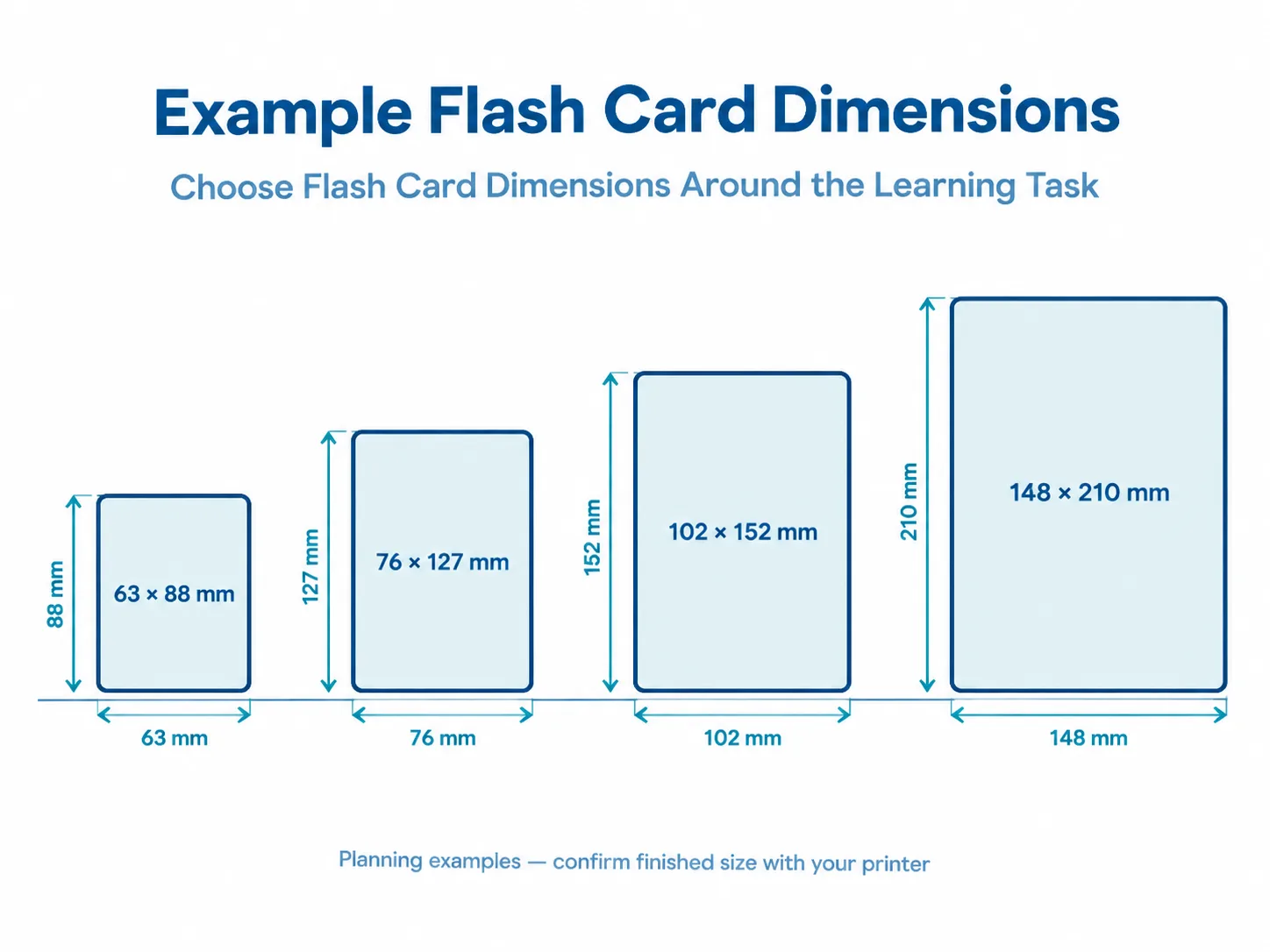
The right flash card dimensions depend on viewing distance, content density and the learner’s ability to hold the cards. Select a finished size before building layouts, and test it with an actual-size paper mock-up.
The dimensions below are planning examples, not universal standards or a statement of available tooling. Confirm the proposed size and cutting method with your printer.
| Finished size | Possible application | Buyer consideration |
|---|---|---|
| 63 × 88 mm | Compact vocabulary or matching decks | Portable, but limits large illustrations and longer answers |
| 76 × 127 mm, approximately 3 × 5 inches | Individual revision and short question-and-answer cards | More room for text; check comfortable handling |
| 102 × 152 mm, approximately 4 × 6 inches | Picture-and-word learning cards | Supports larger images but needs a larger storage box |
| 148 × 210 mm, A5 | Teacher-led demonstrations | Useful for larger content; less convenient for frequent shuffling |
Specify width × height, orientation and units consistently. Decide whether the metric or inch measurement controls production; rounded conversions can otherwise create conflicting instructions.
Larger cards use more material and may change sheet utilization, carton size and shipping weight. Smaller cards save space only if the educational content remains readable. Test the longest word, most detailed illustration and densest answer before committing to a format.
Design Readable Cards for the Intended Viewing Distance
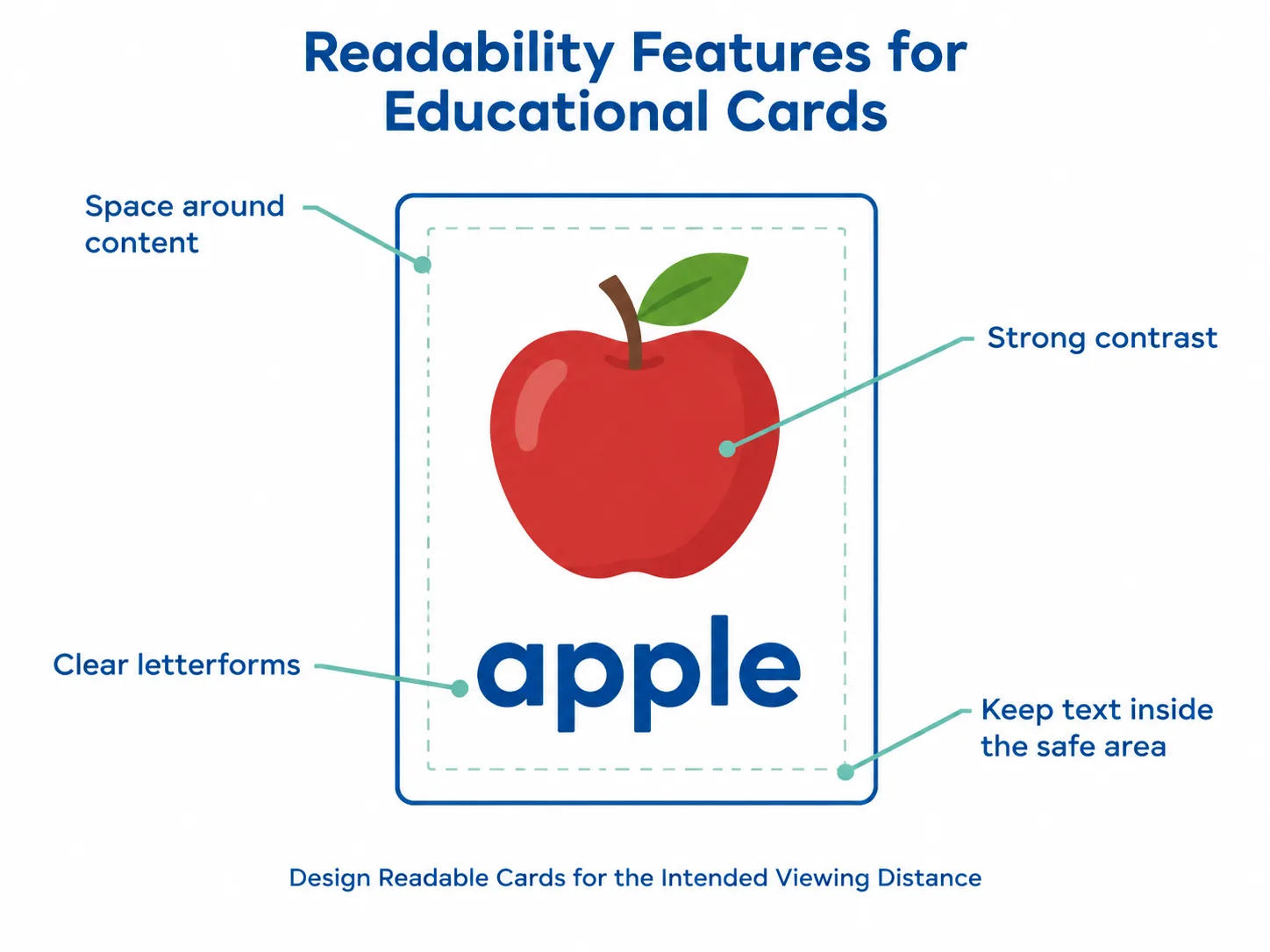
Readable flash cards give the learner one clear visual task at a time. Use a consistent hierarchy for the main prompt, supporting information and reference details, with enough empty space to distinguish them.
For a handheld prototype, you might begin with a main word around 24–36 pt and supporting text around 14–18 pt. These are layout starting points, not accessibility thresholds. Typeface, viewing distance, language and learner needs determine the final sizes. Classroom demonstration cards often need substantially larger lettering.
- Choose letterforms that clearly distinguish similar characters, including I, l and 1.
- Use strong text-to-background contrast and keep text away from busy illustrations.
- Keep line breaks natural, particularly for phonics, equations and bilingual content.
- Combine category colors with words or symbols so color is not the only identifier.
- Test whether the answer can be read through the card or inferred from its reverse design.
En British Dyslexia Association’s style guide offers useful guidance on type, spacing and visual presentation. Apply it alongside testing with the intended audience.
Review cards at their actual printed size under typical classroom or home lighting. A layout that looks clear when enlarged on a monitor may become crowded after trimming.
Compare Card Stocks, Finishes and Corner Options
Choose card material by stiffness, opacity, surface feel and expected handling, rather than paper weight alone. Two stocks with the same grammage can have different thicknesses and behave differently in a learner’s hands.
A stock around 300–350 gsm can be a starting point for discussion, subject to available materials and the intended format. Request samples and compare bending resistance, reverse-side show-through and the finished stack height. The guide to card stocks and coatings for custom decks explains material considerations that also affect learning cards.
| Opción | Practical benefit | What to check |
|---|---|---|
| Uncoated surface | Low glare and a natural paper feel | Marking, dirt pickup and suitability for the intended writing tool |
| Matte lamination | A protective film with a subdued appearance | Residual glare, scuffing, grip and added thickness |
| Gloss lamination | A shiny surface that can emphasize artwork | Reflections under lighting and comfortable readability |
Lamination does not automatically make a card waterproof or suitable for dry-erase use. If wiping or writing is required, specify the intended marker and cleaning method and test a representative finished sample.
Rounded corners can reduce sharp-feeling points and corner snagging. Confirm the radius, keep artwork clear of the cut and inspect edge quality. For younger learners, the discussion of paper choices for children’s printed products provides additional material context, although book paper specifications should not be transferred directly to cards.
Keep Double-Sided Flash Cards Correctly Matched
Double-sided flash cards need an explicit pairing map so every prompt receives the correct answer, translation or illustration. Do not rely on filenames or visual memory to establish that relationship.
- Assign a unique card ID. Record each card’s front content, back content, category and position in the set.
- Agree the file arrangement. Ask whether the printer wants alternating front/back pages or separate front and back PDFs in matching order.
- Define the flip direction. State how a learner turns the card, then verify orientation with a folded or printed dummy.
- Prepare individual card artwork. Let the printer handle production imposition unless another arrangement is requested.
- Check every pair. Review all faces against the approved pairing map, including instruction cards and dividers.
Follow the printer’s bleed and safe-area requirements. A 3 mm bleed is common, but confirm the actual specification before export. Keep essential text comfortably inside the trim and corner cuts; avoid narrow borders that make small cutting variations conspicuous.
Use the PDF export and preflight workflow for general checks such as fonts, image resolution and output settings, then apply the card-specific pairing instructions. For bilingual sets, approve translations and scripts separately from the production file check.
Plan Flash Card Collation Before Production
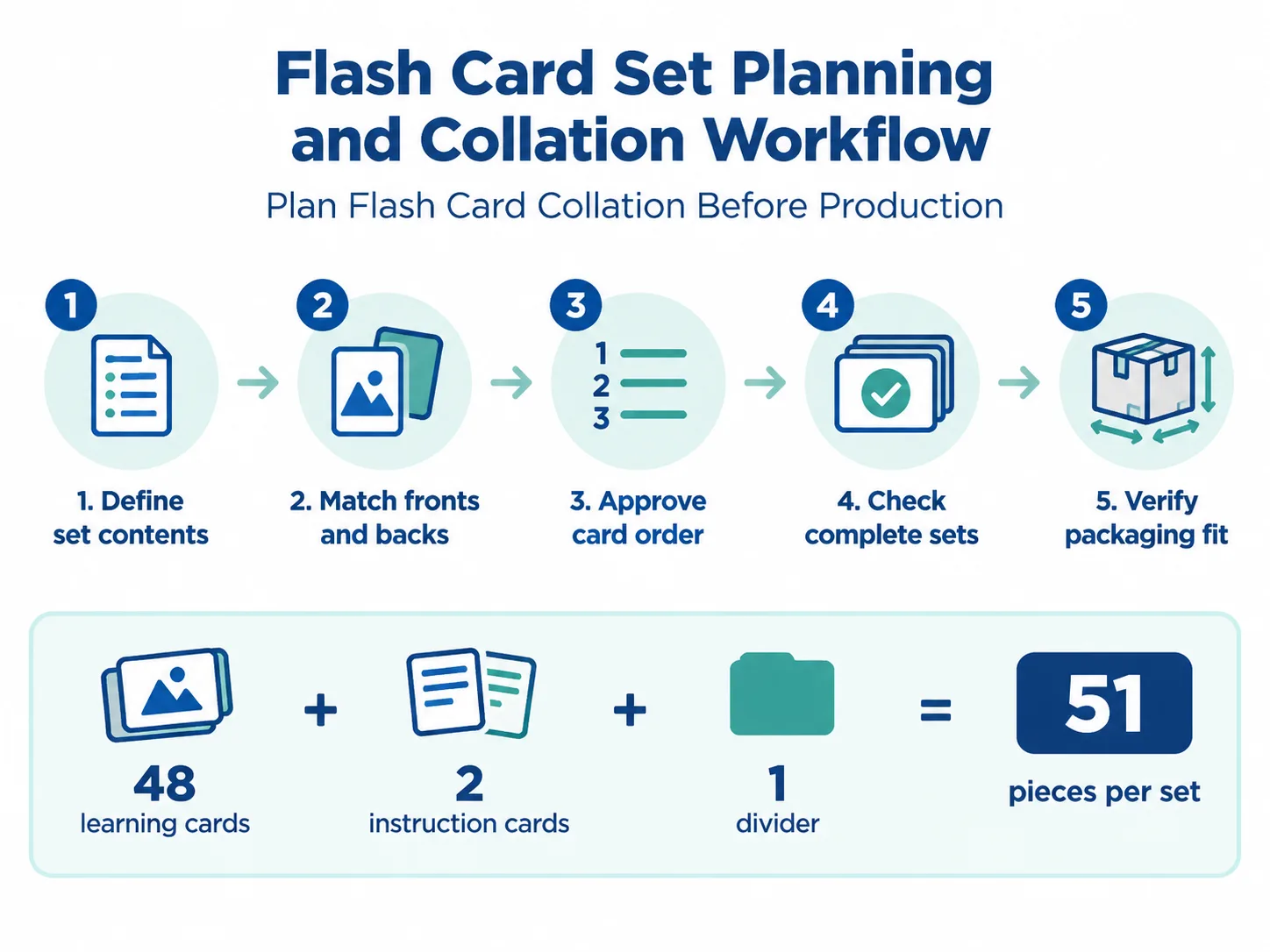
Flash card collation means assembling the specified cards into each complete set in the approved order. Correct printing alone does not establish that a deck contains every required card exactly once.
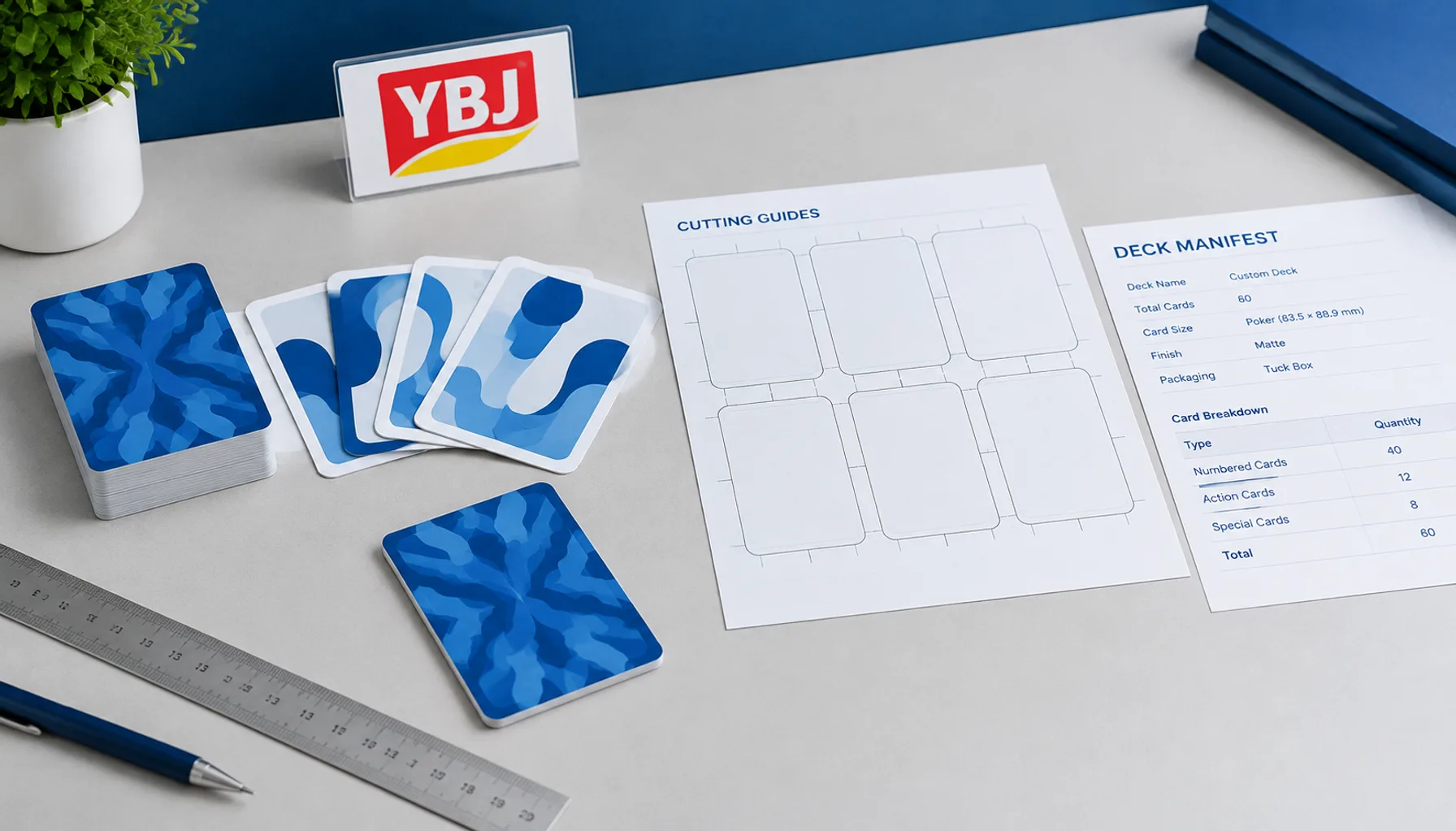
Create a set manifest listing card IDs, sequence, quantities and any repeated cards. Separate teaching categories, instruction cards and accessories clearly. If several language editions share illustrations, give each edition its own manifest and packaging identifier.
Example set calculation: 48 learning cards + 2 instruction cards + 1 divider = 51 pieces per set. An order for 1,000 complete sets requires 51,000 packed pieces. Any production allowance should be agreed separately from the saleable quantity.
- Approve one complete reference set with all faces and inserts checked.
- Confirm the required order, card orientation and packaging contents.
- Agree checks for missing cards, duplicates and mixed editions during assembly.
- Define how assembled sets will be sampled and discrepancies handled.
Counting or weighing can help identify some packing errors, but neither proves that all card identities are correct. A duplicate can replace a missing card without changing the total count or materially changing weight. Combine quantity checks with content checks against the manifest.
Where useful, add discreet card numbers or category codes. These help teachers restore order and make production checks easier without revealing the learning answer.
Match Flash Card Packaging to the Finished Set
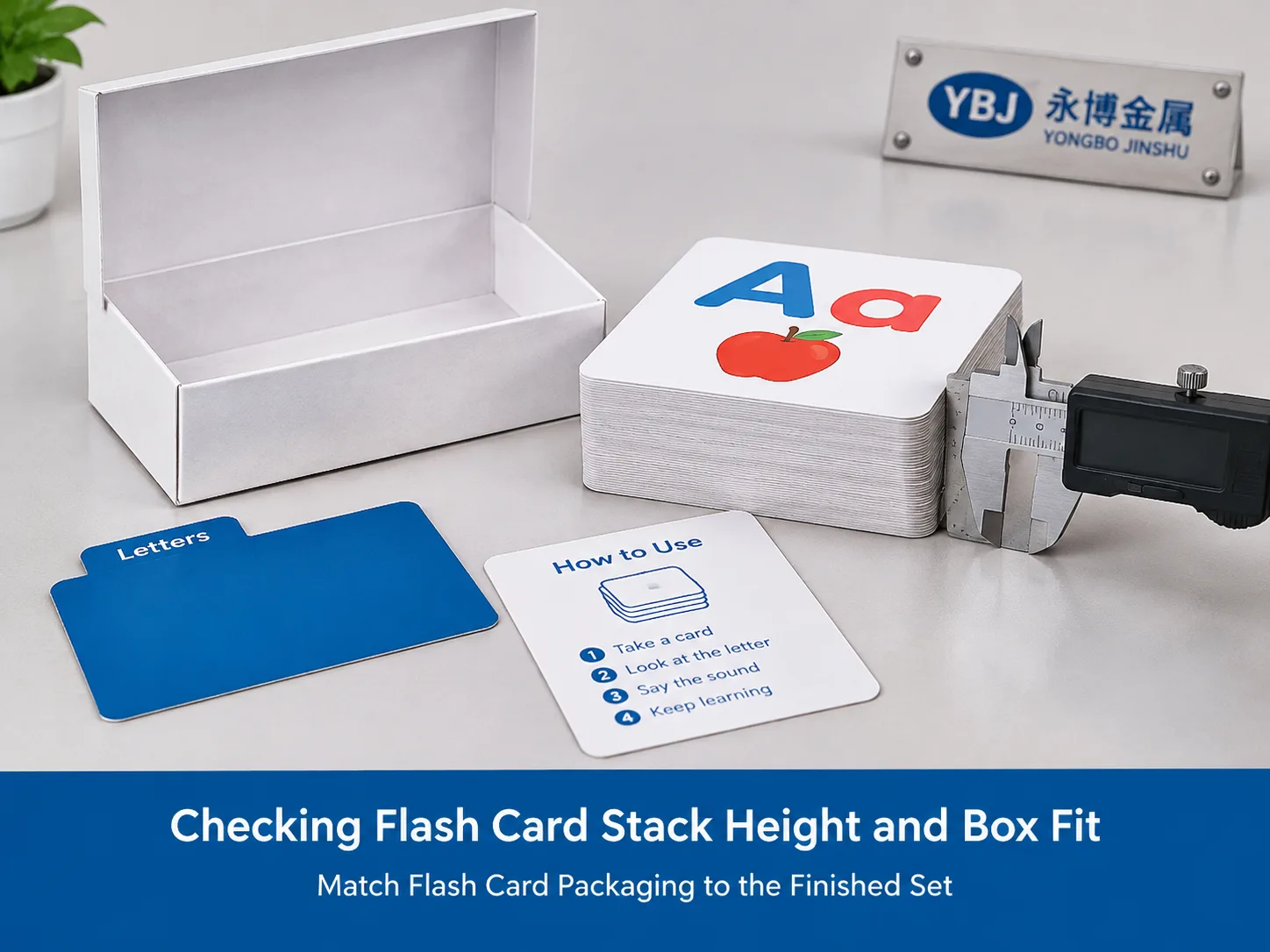
Size flash card packaging around a representative finished stack, including coatings, dividers and instructions. Paper grammage alone cannot establish the required box depth.
For illustration, 60 cards measuring 0.35 mm thick each produce a nominal 21 mm stack before inserts and handling clearance. Actual measurements can vary, so use the finished materials to verify fit before approving the packaging dieline.
| Set format | Packaging option to discuss | Fit and usability checks |
|---|---|---|
| Compact revision deck | Printed tuck box | Finger access, closure fit and repeated opening |
| Classroom category set | Divided storage box | Divider thickness, category access and extra space for replacement cards |
| Retail educational set | Rigid box with separate lid | Stack movement, lid fit, label space and shipping volume |
| Large demonstration cards | Fitted paperboard box or sleeve | Edge protection, removal clearance and storage orientation |
These are specification options, not a catalog of confirmed products. Ask the printer to confirm construction feasibility, material choices and minimum quantities.
State the learning-card count and total pack contents clearly on the packaging. Reserve appropriate space for edition identifiers, barcodes and destination-market information. If the product is classified as a children’s toy in the United States, review the applicable requirements through the CPSC toy safety guidance; classification depends on the actual product and intended use.
Approve Content, Materials and Set Assembly
Use proofing to answer separate questions about content accuracy, physical performance and complete-set assembly. One proof type may not demonstrate all three.
A digital proof helps check wording, front-to-back pairing and artwork placement. A material dummy helps evaluate size, stiffness and packaging fit. A printed sample can help assess color, readability and finish, but confirm whether it uses the intended production process and materials.
During approval, inspect every unique card face and assemble a complete set. Check educational answers, category labels, reverse orientation, opacity, rounded corners and removal from the box. Record approved versions for both cards and packaging so later corrections do not leave mismatched files in circulation.
Agree the production inspection scope and acceptance criteria before manufacture. Lead time depends on file readiness, proof revisions, material sourcing, finishing, assembly and transport. Separate the production schedule from the shipping estimate when planning a school launch or retail release.
Flash Card Printing Specifications and Buyer Checklist
An accurate quotation requires the complete set specification, not simply a price request for a number of cards. State quantity in finished sets and identify the number of physical cards in each set.
- Product and audience: learning topic, age group, use case and language editions.
- Dimensiones: finished width × height, orientation and corner requirements.
- Content count: unique learning cards, repeated cards, instructions, dividers and booklet page count, if applicable.
- Print quantity: complete sets per edition and any requested quantity alternatives.
- Materiales: preferred stock, thickness or stiffness expectations, opacity and finish.
- Obras de arte: file status, pairing map, collation manifest and proof requirements.
- Embalaje: construction preference, inserts, identifiers and pack contents.
- Entrega: destination country, postal code, preferred transport method and required arrival window.
Compare quotations using the same specification and delivery basis. Unit cost changes with size, stock, the number of unique faces, finishing, collation complexity and packaging. Larger quantities may spread setup costs, while additional editions or elaborate assembly can add work. Ask which assumptions, proof costs and shipping charges are included.
Key Takeaways for a Complete, Usable Set
A successful educational card project combines readable design with controlled set assembly. Choose dimensions through actual-size testing, approve materials for opacity and handling, document every front-to-back pair, and verify collation against a complete manifest.
Measure the finished stack before finalizing packaging. With those decisions recorded, buyers can compare quotations more accurately and approve a set that works as intended in the classroom or at home.
PREGUNTAS FRECUENTES
What is the best size for educational flash cards?
There is no single best size. Compact cards suit short prompts and individual study, while larger cards suit detailed pictures or teacher demonstrations. Test the longest content at actual size and the intended viewing distance before choosing dimensions.
What paper should I choose for flash card printing?
Compare stiffness, opacity, thickness and finish rather than grammage alone. A stock around 300–350 gsm can be a discussion starting point, subject to the intended format and available materials. Approve a physical sample before confirming the specification.
How do I prevent mismatched fronts and backs?
Assign each card a unique ID and create a front-to-back pairing map. Agree the PDF arrangement and flip direction with the printer, then check every pair in the proof and complete assembled sample.
How is a complete flash card set checked?
Use a manifest that identifies every card, its quantity and its position. Combine count checks with identity checks for missing, duplicated or mixed-edition cards. Weight or total count alone cannot confirm that every required card is present.
Can laminated flash cards be used with dry-erase markers?
Not automatically. Suitability depends on the surface film, marker, cleaning method and repeated use. Specify the intended writing system and test a representative finished sample for staining, erasing and wear.
Ready to Plan Your Custom Printing Project?
Tell YBJ Printing about your flash card product type, trim size, cards per set, any booklet page count, quantity, paper or binding preferences where applicable, finish requirements, packaging, file status and destination country. Our team can discuss practical options and prepare a factory-direct quotation based on your specification.