
Table des matières
- What book spine width means
- The basic book spine width formula
- How paper caliper and bulk affect the calculation
- Paperback spine width example
- How to calculate hardcover spine thickness
- How to use the spine width in a cover file
- Common spine width calculation errors
- A practical workflow before printing
Pour calculer la largeur du dos d’un livre, déterminez l’épaisseur du bloc de texte à partir du nombre de pages et de l’épaisseur du papier, puis vérifiez auprès de votre imprimeur les marges prévues pour la colle, les pages de garde, le carton, la charnière ou la fabrication. Ce guide pratique explique les formules applicables aux livres de poche et aux livres reliés, présente des exemples concrets et met en avant les détails relatifs à la préparation des fichiers qui permettent d’éviter les erreurs au niveau de l’illustration de la couverture.
What Book Spine Width Means
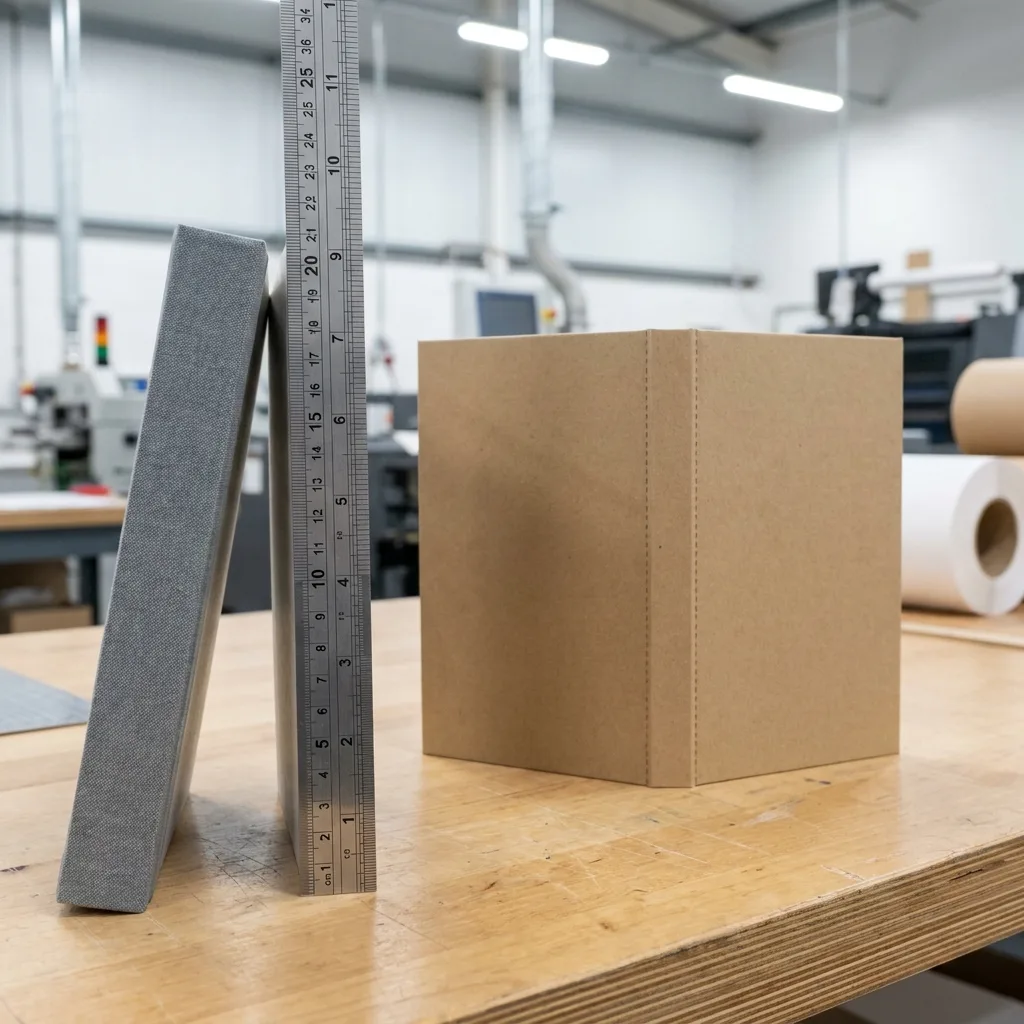
Book spine width is the horizontal measurement of the narrow panel between the front and back covers. It determines how much space is available for a spine title, logo, barcode-related design elements, and the fold or hinge areas required by the binding method.
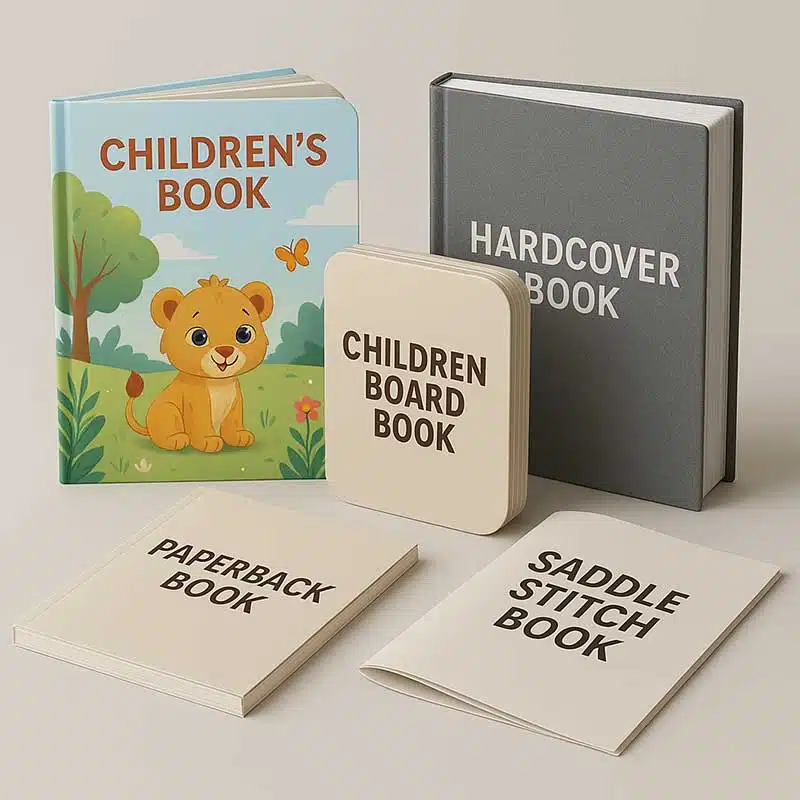
For most perfect-bound paperbacks, the starting point is the thickness of the text block. For hardcover books, the calculation is more involved because the construction may include endpapers, board, hinge gaps, a wrapped case, and either a flat or rounded spine. The exact cover template should therefore be confirmed with the book printer before artwork is finalised.
The most reliable approach is to treat a Calculateur de largeur de dos de livre as an estimating tool rather than a substitute for a production template. The result depends on the actual paper caliper, page count, binding method, adhesive, cover construction, and the printer’s manufacturing tolerances.
Before calculating, confirm these assumptions:
- Whether the stated page count includes all interior pages and whether it is divisible by the selected binding method.
- The finished trim size and whether the book is portrait, landscape, or square.
- The paper stock and its measured or supplier-provided caliper.
- Whether the book is perfect bound, sewn and case bound, or produced with another construction.
- Whether the printer requires a calculated spine or will provide a binding-specific cover template.
The Basic Book Spine Width Formula
For a glued paperback, the basic formula is:
Text block thickness = number of pages ÷ 2 × paper caliper
When the paper caliper is expressed in millimetres, the result is also in millimetres. The division by two is necessary because a printed sheet normally creates two pages in the finished book: one page on the front and one on the back.
For example, a 200-page book printed on paper with a caliper of 0.09 mm has an estimated paper thickness of:
200 ÷ 2 × 0.09 mm = 9.00 mm
This 9.00 mm is the estimated text block thickness, not necessarily the final spine panel width in the cover file. Perfect binding adds adhesive, and the amount can vary with the adhesive system, application, trimming, compression, and the printer’s cover specification. Some suppliers may provide a spine allowance or a finished spine measurement that already includes production considerations.
If your printer gives you a formula such as pages multiplied by a specified constant, use the supplier’s formula for that exact paper and binding combination. Do not combine a generic online formula with a printer-provided template unless you understand whether both figures include the same allowances.
For a paperback cover, the full flat cover width is generally calculated as:
back cover width + spine width + front cover width + required bleed
The amount and direction of bleed depend on the cover template. Bleed is not part of the physical spine thickness, so it should not be added to the spine calculation itself.
How Paper Caliper and Bulk Affect the Calculation
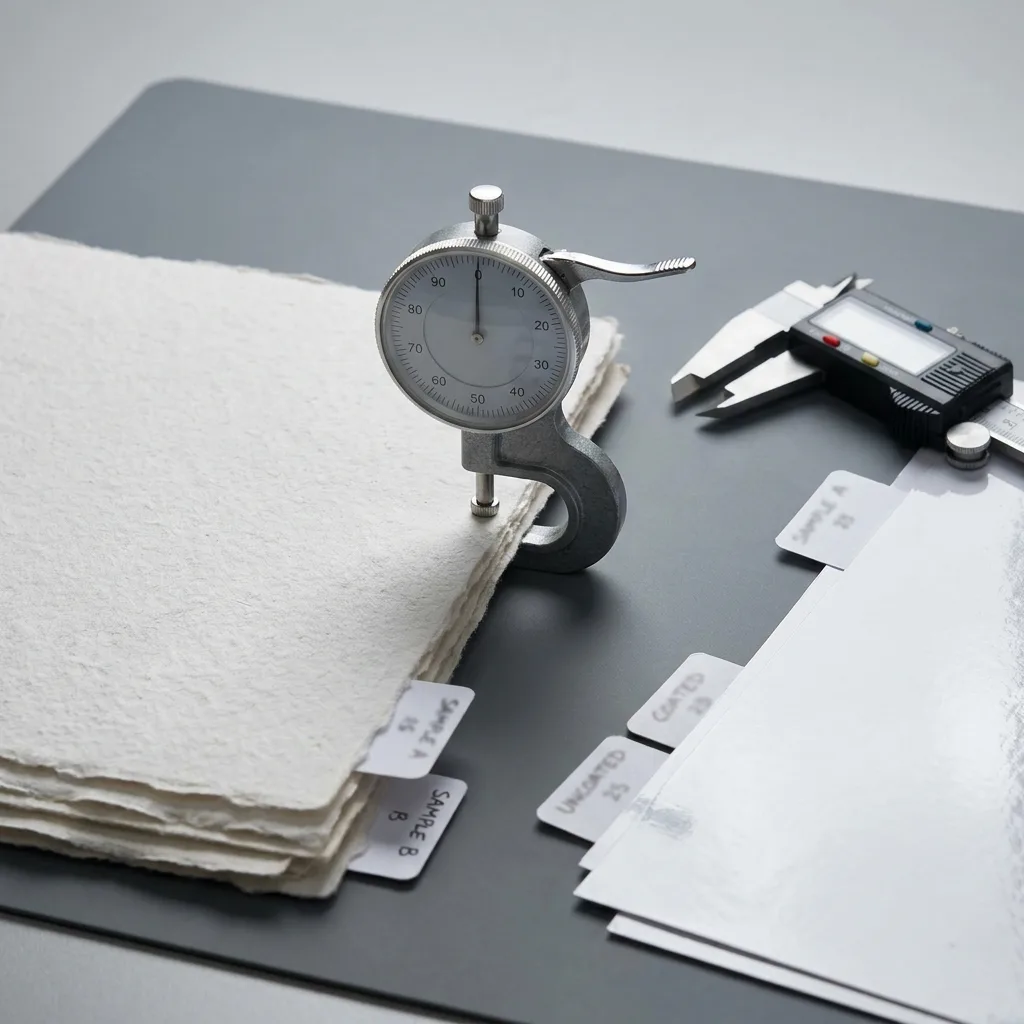
Paper GSM describes weight, while caliper describes thickness. They are related but not interchangeable. Two papers with the same GSM can have different thicknesses because their fibre composition, coating, density, and manufacturing process differ.
For accurate spine planning, ask the printer or paper supplier for the caliper of the exact stock. If only paper bulk and GSM are available, an approximate conversion is:
Paper caliper in mm = paper bulk in cm³/g × GSM ÷ 1,000
For example, paper with a bulk of 1.25 cm³/g and a weight of 100 GSM has an estimated caliper of:
1.25 × 100 ÷ 1,000 = 0.125 mm per sheet
A 240-page text block would then be estimated as:
240 ÷ 2 × 0.125 mm = 15.00 mm
This calculation is useful during specification planning, but a measured caliper or the printer’s production data is preferable. Caliper can change with paper moisture, compression, coating, folding, gathering, and binding pressure. The final book may therefore differ slightly from a simple multiplication result.
For a deeper explanation of the difference between paper weight and thickness, see YBJ Printing’s guide to paper bulk versus GSM for accurate spine width calculations. This distinction is especially important when selecting lightweight uncoated paper, bulky book paper, or coated text stock.
Paperback Spine Width Example
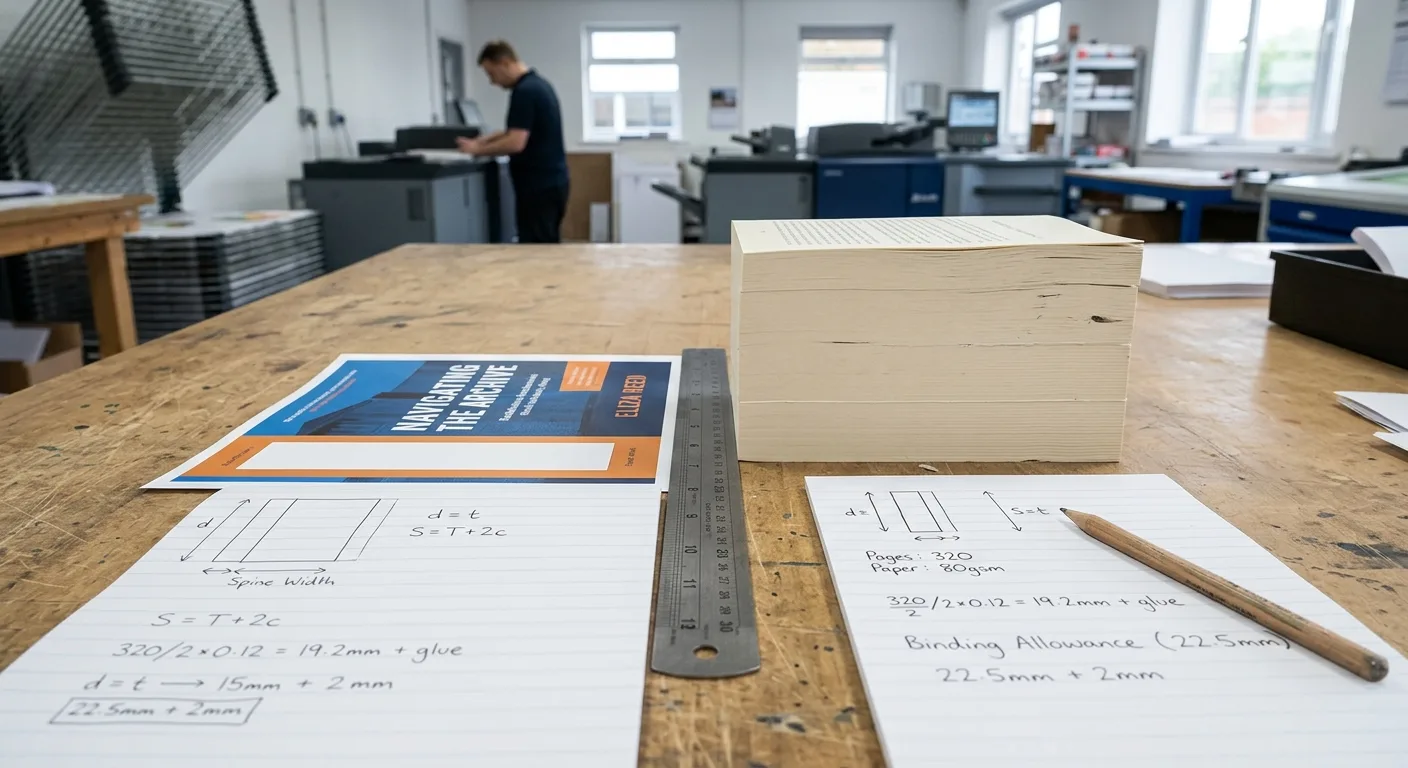
Consider a paperback specification with the following assumptions:
- Interior length: 320 pages
- Binding: glued perfect binding
- Text paper caliper: 0.085 mm per sheet
- Cover: printed cover stock, supplied as a separate full-cover file
First calculate the paper portion of the spine:
320 ÷ 2 × 0.085 mm = 13.60 mm
The estimated text block is therefore 13.60 mm thick. The final spine value used in the cover template may be 13.60 mm plus a binding allowance, or it may be a printer-specified value based on the selected adhesive and production line. Request confirmation before placing type or artwork across the spine.
If the book uses a different paper with a 0.105 mm caliper, the same page count produces:
320 ÷ 2 × 0.105 mm = 16.80 mm
The 3.20 mm difference is large enough to affect the overall cover width and the position of spine artwork. This is why changing paper after cover design can require a revised file.
Page count also needs careful checking. A 319-page manuscript may be supplied as a 320-page interior after adding a blank page, copyright page, or other front matter. The calculation should use the final production page count, not an early manuscript estimate. Confirm whether inserts, foldouts, tipped-in pages, or special sections are handled separately because they may not behave like standard text pages.
How to Calculate Hardcover Spine Thickness

Hardcover spine thickness begins with the text block, but the cover structure must be planned separately. A basic estimate for the sewn or gathered text block is:
Text block thickness = interior page thickness + endpaper thickness + relevant construction layers
The interior page thickness can be estimated with the same page-count method:
Interior page thickness = number of pages ÷ 2 × paper caliper
For example, 240 pages on 0.09 mm paper give 10.80 mm of interior paper thickness. If the construction includes endpapers, their thickness must be added using the printer’s supplied caliper or production specification. Adhesive, thread, mull, spine lining, rounding, and backing may also affect the finished hardcover spine thickness, depending on the case-binding style.
Do not automatically add the full thickness of both cover boards to the spine panel. In a casebound book, the boards sit on the front and back sides of the case, while the spine area is formed and finished according to the selected construction. Board thickness affects the overall case dimensions and hinge relationship, but it is not always added directly to the spine width.
Hardcover spine thickness can also vary according to whether the book has a flat spine, rounded spine, printed case, or dust jacket. The dust jacket and the printed case may require different templates. YBJ Printing’s guide to preparing hardcover book cover files explains why front cover, back cover, spine, board wrap, hinge, and bleed measurements need to be coordinated.
For hardcover production, treat an online calculation as a planning estimate. The final hardcover spine should come from the printer after the paper, page count, endpapers, board specification, and binding construction are confirmed.
How to Use the Spine Width in a Cover File
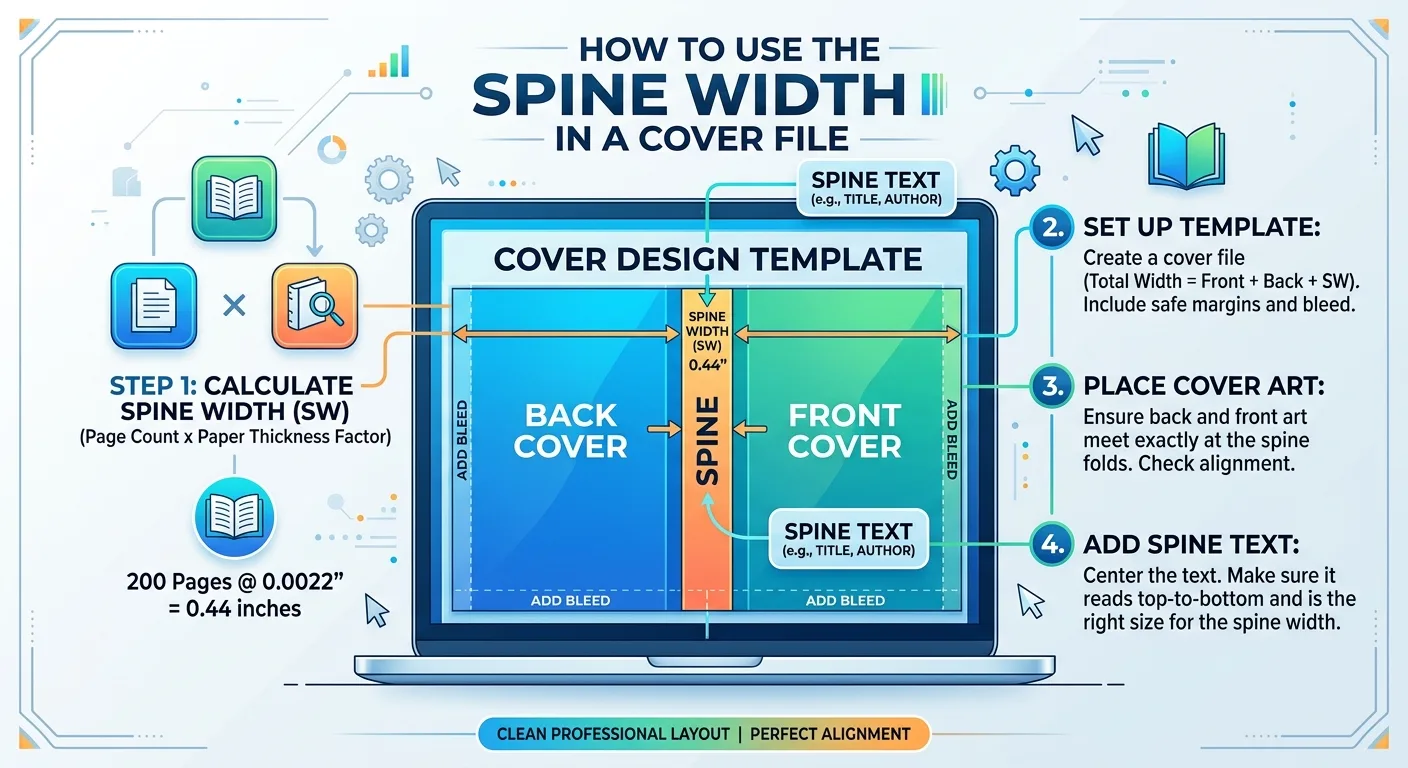
Once the printer confirms the spine measurement, build the complete cover as one correctly sized spread unless the supplier requests separate front, back, and spine files. A typical paperback spread runs from the back cover on the left, across the spine, to the front cover on the right. The exact orientation should follow the supplied template.
Check the following file details:
- Use the confirmed trim size for both the front and back covers.
- Place the spine panel at the exact position shown in the printer’s template.
- Extend background colours, photographs, and patterns through the required bleed.
- Keep spine text and logos away from folds, trim lines, and hinge areas by using the printer’s safe-area guidance.
- Use the requested colour mode, image resolution, fonts, and PDF settings.
- Check that the spine title direction and reading orientation match the destination market and printer template.
Spine text is most suitable when the confirmed spine is wide enough to hold it clearly. On a narrow spine, a clean colour field or small mark may be more legible than forcing a long title into a restricted area. If the title is close to the minimum practical width for the chosen type size, ask for a proof or production recommendation.
For a complete file checklist, review the guidance on preparing a print-ready book PDF. Cover files need different geometry from interior PDFs, so do not assume that an interior page export can be used as a full cover file.
Common Spine Width Calculation Errors
Most spine problems come from using an incomplete specification rather than from the multiplication itself. The following checks can prevent a cover from being rejected or requiring late artwork changes.
- Using GSM as thickness: GSM alone cannot provide a dependable spine measurement. Obtain caliper or bulk data for the exact stock.
- Counting sheets as pages: For standard text pages, divide the page count by two before multiplying by the thickness per sheet.
- Using the manuscript page count: Calculate from the final imposed interior, including confirmed blank pages and front matter.
- Ignoring binding type: A perfect-bound paperback, sewn hardcover, and other constructions do not use the same final cover assumptions.
- Adding bleed to the spine: Bleed expands the artwork beyond trim; it does not make the physical book thicker.
- Adding board thickness automatically: Hardcover boards affect case geometry but should not be inserted into the spine formula without the printer’s instructions.
- Changing paper after approval: A different paper caliper can change the spine and full cover width even when the page count remains unchanged.
- Relying on an unverified template: An online calculator may estimate the text block but cannot know the selected adhesive, endpapers, case style, or factory tolerances.
When production timing matters, request a final cover template after all physical specifications are settled. A Liste de contrôle pour les épreuves d'impression de livres can then help you verify the spine position, title alignment, colour, trim, and finishing before approving the full run.
A Practical Workflow Before Printing
Use this sequence when planning a paperback or hardcover project:
- Confirm the format. Select the trim size, orientation, page count, interior colour specification, and binding method.
- Select the paper. Identify the exact text stock and request its caliper, bulk, or the supplier’s spine calculation factor.
- Calculate an estimate. Divide the page count by two and multiply by the paper caliper. For hardcover books, add endpapers and construction layers only when the printer provides the relevant specifications.
- Request the production template. Ask for the final cover dimensions, spine width, bleed, hinge, board wrap, and safe-area requirements.
- Prepare the artwork. Place the spine and cover elements in the supplied positions, then export using the requested print-ready settings.
- Review a proof. Check the spine title, alignment, panel width, cover transitions, barcode area, colour, and finishing before authorising production.
The calculation is most useful early in the buying process because it helps you assess whether the planned page count and paper will create a practical spine. It is not the final approval measurement. Paper selection, binding construction, finishing, and production method can all affect the result.
For broader format decisions, compare hardcover and paperback book printing options before locking the cover design. Choosing the binding and materials first makes the spine calculation more reliable and reduces the risk of revising the cover later.
In summary: calculate the paper portion with page count ÷ 2 × caliper, then obtain the printer’s confirmed spine width for the selected binding and cover construction. Use that confirmed value, not a rounded estimate, in the final cover file.
Need a Confirmed Spine Width for Your Book?
YBJ Printing can discuss the specifications needed to prepare a practical cover template for your project. To request an accurate quotation, provide the product type, trim size, page count, paper or binding preference, finish, file status, and destination country. If the paper or binding is not yet fixed, we can review the assumptions that affect the estimated spine width.