
Índice
- Workbook Printing Starts with Classroom Use
- Build a Practical Workbook Specification
- Choose Paper for Writing and Printed Exercises
- Plan Answer Spaces and Workbook Gutter Margins
- Compare Binding Options for Classroom Use
- Match the Workbook Format to the Learning Task
- Coordinate Student and Teacher Editions
- Prepare Files and Approve the Right Proofs
- Plan Cost, Production and Classroom Delivery
- Buyer Checklist Before Production Approval
- Key Takeaways for Writable Classroom Books
Plan classroom workbooks around how students will use them. Learn how to specify writable paper, answer spaces, gutter margins, binding, student and teacher editions, and production checks before ordering.
Workbook Printing Starts with Classroom Use
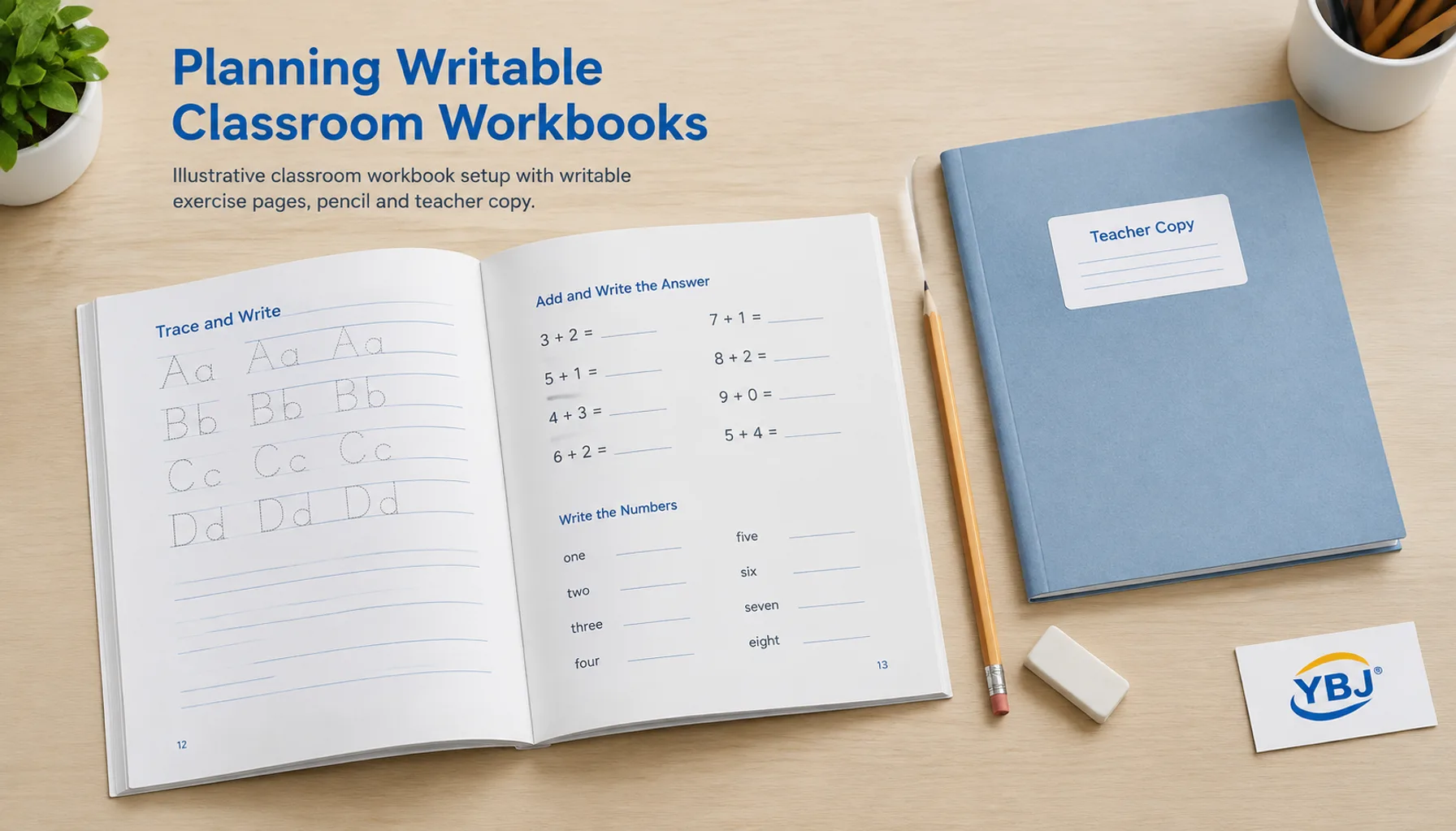
Workbook printing produces instructional books with printed exercises and spaces for learners to write, draw, calculate or record observations. A useful classroom workbook combines writable paper, sufficient answer space and a binding that keeps the working area accessible.
Definition: A workbook is a printed learning resource designed for active completion. Its production specification must support both reading the instructions and writing the responses.
For publishers, schools and training providers ordering custom educational workbooks, the first decision is how the book will be used. A short practice booklet, a semester mathematics workbook and a reusable teacher reference require different layouts and construction.
Identify the learner’s age, likely writing tools and expected service life before choosing paper or binding. Also decide whether learners will write on both sides, remove pages or work near the spine. These practical requirements should guide the quotation and proofing process.
Build a Practical Workbook Specification
A clear specification lets printers compare equivalent options and identify choices that may affect classroom usability.
- Define the learning activity. List handwriting, calculations, coloring, diagram labeling and any pages intended for removal.
- Choose the finished size. Allow room for instructions and realistic responses while considering school bags, desks and storage.
- Confirm the page count. Include title pages, instructions, deliberately blank pages and any answer section. State whether the cover is counted separately.
- Specify print color. Identify black-only, full-color or mixed-color interiors, and explain where color carries instructional meaning.
- Record construction and delivery needs. Include paper, binding, cover finish, quantity by edition, packing requirements and destination country.
Define quantities by title and version. An order for 3,000 student copies and 150 teacher copies is two production specifications if the interiors differ. Combining those figures into one total can hide setup and version-control costs.
Our guide to book trim sizes explains how finished dimensions affect layout and production. Test a full-size printed page before committing to a compact format.
Choose Paper for Writing and Printed Exercises
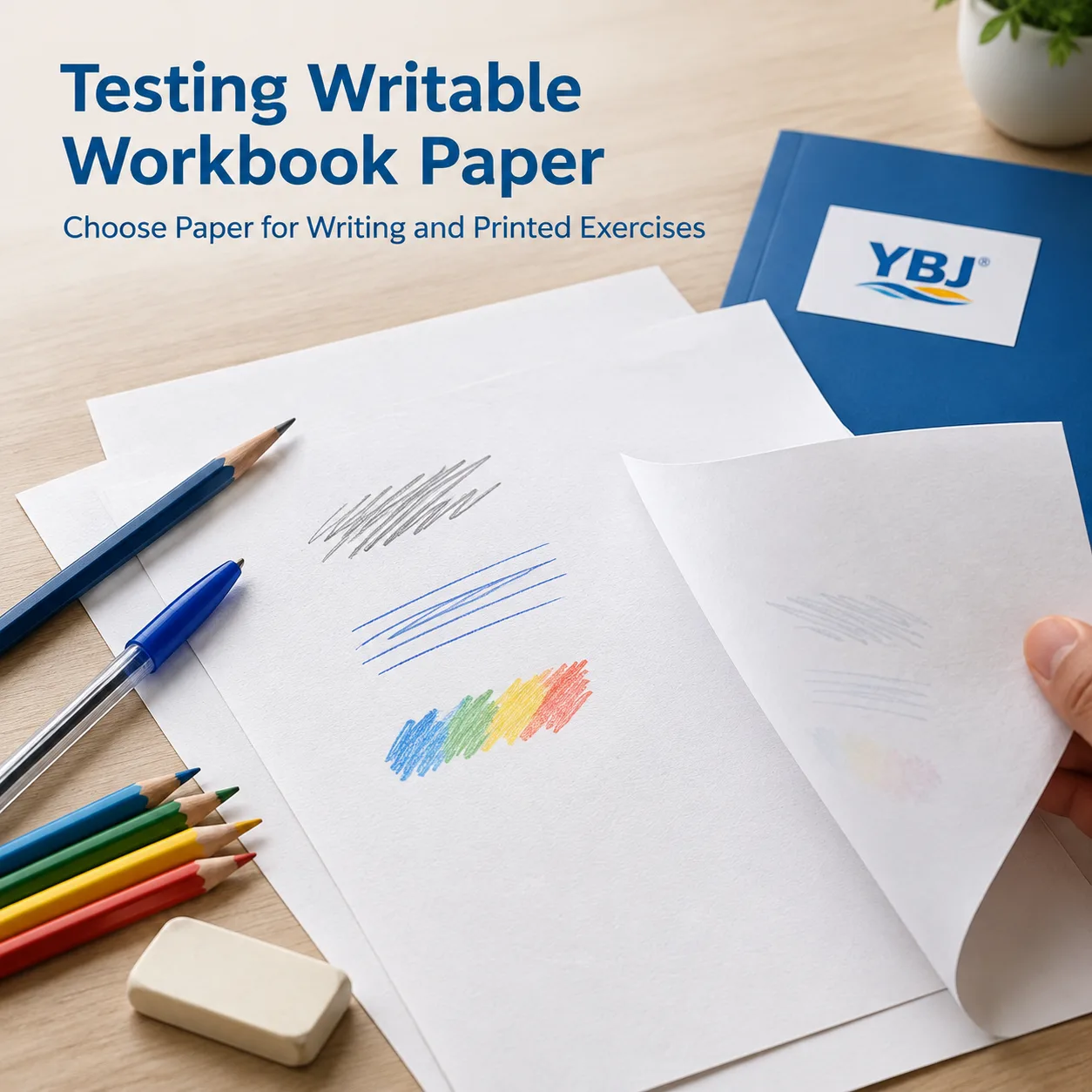
Uncoated paper is usually the starting point for writable workbook paper because it commonly accepts pencil and everyday pens well. The final choice still requires a test with the intended writing tools.
For an initial sample discussion, approximately 80–120 gsm uncoated stock can be a practical range to evaluate. This is a planning range, not a universal specification or a statement of available stock. Younger learners, heavy coloring and dense double-sided printing may justify a different sheet.
Paper weight alone does not establish writing performance. Surface sizing, smoothness, opacity, bulk and ink absorption also matter. Two papers with the same gsm can behave differently when students erase pencil marks or use felt-tip pens.
- Pencil exercises: Check line visibility, surface feel and repeated erasing.
- Ballpoint or gel pen: Check drying, smearing and whether the reverse side remains usable.
- Coloring activities: Test the actual crayons, pencils or markers expected in class.
- Double-sided pages: Inspect printed show-through and writing bleed-through separately.
Gloss-coated interiors can complicate handwriting. Matte-coated paper also needs testing; a matte appearance does not automatically mean a writable surface. Keep heavy printed backgrounds out of answer areas, even when the stock performs well.
For material terminology, see our book printing paper types guide. Ask for the proposed stock or a representative sample before approving the interior specification.
Plan Answer Spaces and Workbook Gutter Margins
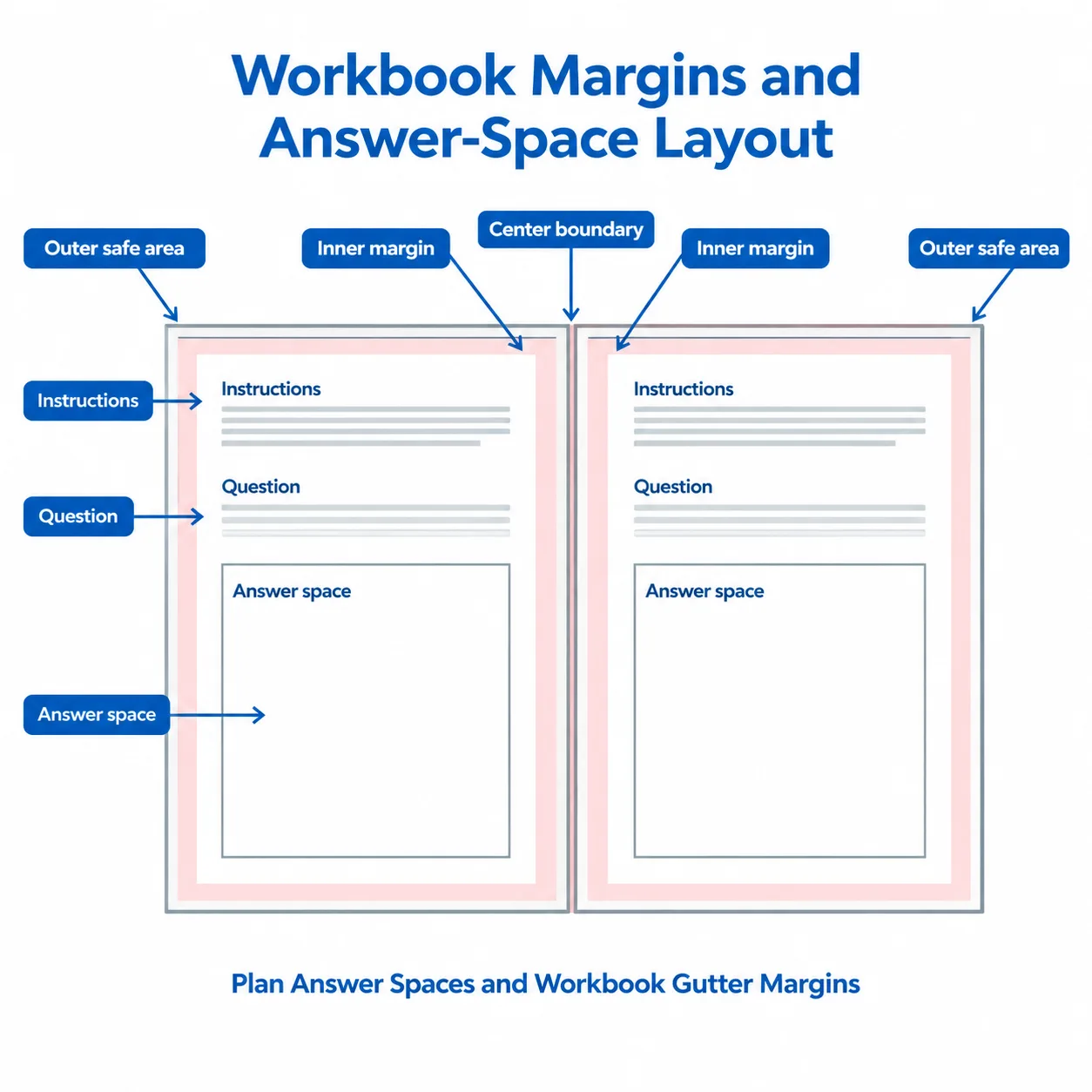
Answer spaces should fit the response students are expected to produce, and workbook gutter margins should keep those spaces accessible after binding.
Complete several sample exercises at actual size. A one-line vocabulary answer, a paragraph response and a multi-step calculation need different amounts of space. Early handwriting activities also require room for larger letterforms and less precise hand movements.
As a starting layout assumption, consider roughly 12–15 mm clear outer margins and a larger inner margin, perhaps 18–25 mm for a perfect-bound prototype. These are illustrative design allowances, not manufacturing tolerances. Confirm the final margins against book thickness, binding construction and a physical dummy.
The inner margin must account for both visibility and hand access. A question may remain readable near the spine while its answer box is awkward to write in. For punched bindings, allow for the hole area and keep all essential content outside it.
- Use mirrored margins so the inner allowance switches correctly between left and right pages.
- Keep instructions, answer lines and page numbers within the agreed safe area.
- Avoid exercises that require writing across the center of a spread.
- Test both left-handed and right-handed access where practical.
Use dark, readable instructions and clear answer lines. Very pale rules can disappear in print; dark backgrounds can obscure pencil responses. Check the proof at normal reading distance under typical classroom lighting.
Compare Binding Options for Classroom Use
Choose binding according to book thickness, writing access and handling requirements. Opening behavior matters because students may need one hand to steady the book while writing.
| Encuadernación | Typical classroom fit | Writing access | Planning consideration |
|---|---|---|---|
| Punto de silla | Short practice books and activity units | Generally opens readily at modest thickness | Page counts are typically multiples of four; thickness and creep must be checked |
| Encuadernación perfecta | Longer student workbooks | Opening resistance varies; allow a generous gutter | Confirm suitable text-block thickness and assess a bound dummy |
| Wire-O or spiral | Desk-based exercises and working references | Generally supports flat opening; some constructions fold back | Allow for punching, hand clearance and packing protection |
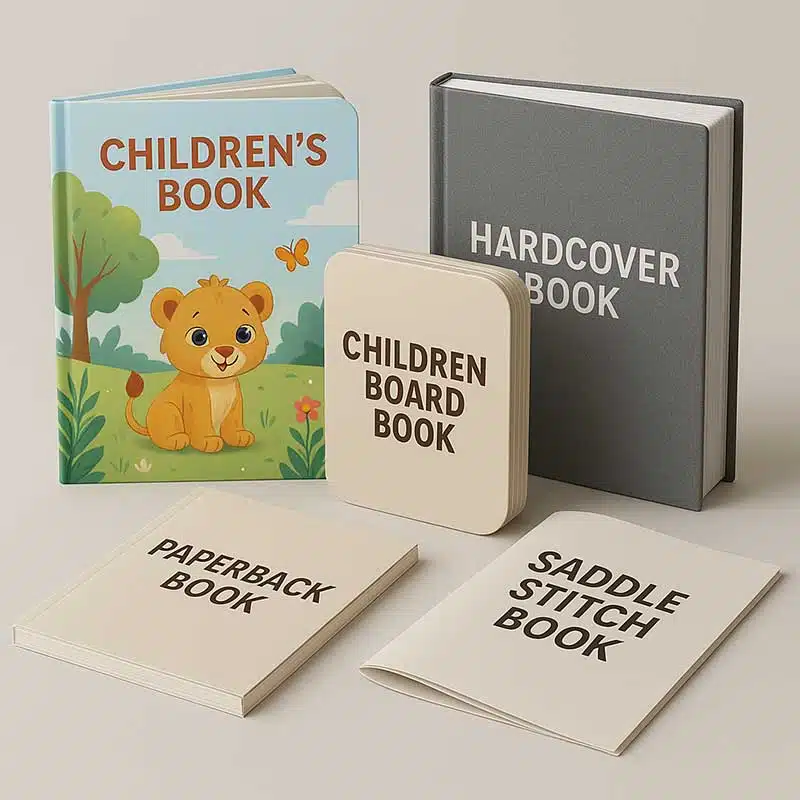
| Sewn construction | Frequently handled reference or teaching books | Depends on sewing, adhesive and cover construction | Discuss opening behavior, signatures and cost with the printer |
A perfect-bound book should not be assumed to stay flat without pressure. Equally, saddle stitch is not suitable for every page count. Ask the printer to evaluate the complete paper-and-page-count combination.
Our student perfect-binding workbook printing page provides a relevant product starting point. If removable worksheets are essential, discuss perforation or another removal method before layout; confirm feasibility and how it affects the usable page area.
Match the Workbook Format to the Learning Task
The learning task provides a practical way to define the product brief. The formats below are planning examples rather than fixed product specifications.
| Workbook format | Main requirement | Specification priority | Proof check |
|---|---|---|---|
| Early-learning activity workbook | Drawing, tracing and short responses | Large working areas and suitable writable stock | Try the intended coloring tools and handwriting tasks |
| Subject practice workbook | Repeated written exercises | Answer-space consistency, opacity and gutter access | Complete representative pages on both sides |
| Short assessment booklet | Timed answers and clear navigation | Readable numbering and a practical short-book binding | Check page sequence and response allocation |
| Teacher edition | Answers, notes and frequent reference | Clear edition identification and accessible opening | Cross-check every answer against the student edition |
For activity-focused projects, the children’s educational activity workbook page is a useful reference when describing your intended product. Supply sample spreads so the printer can assess the working areas alongside the physical specification.
Coordinate Student and Teacher Editions
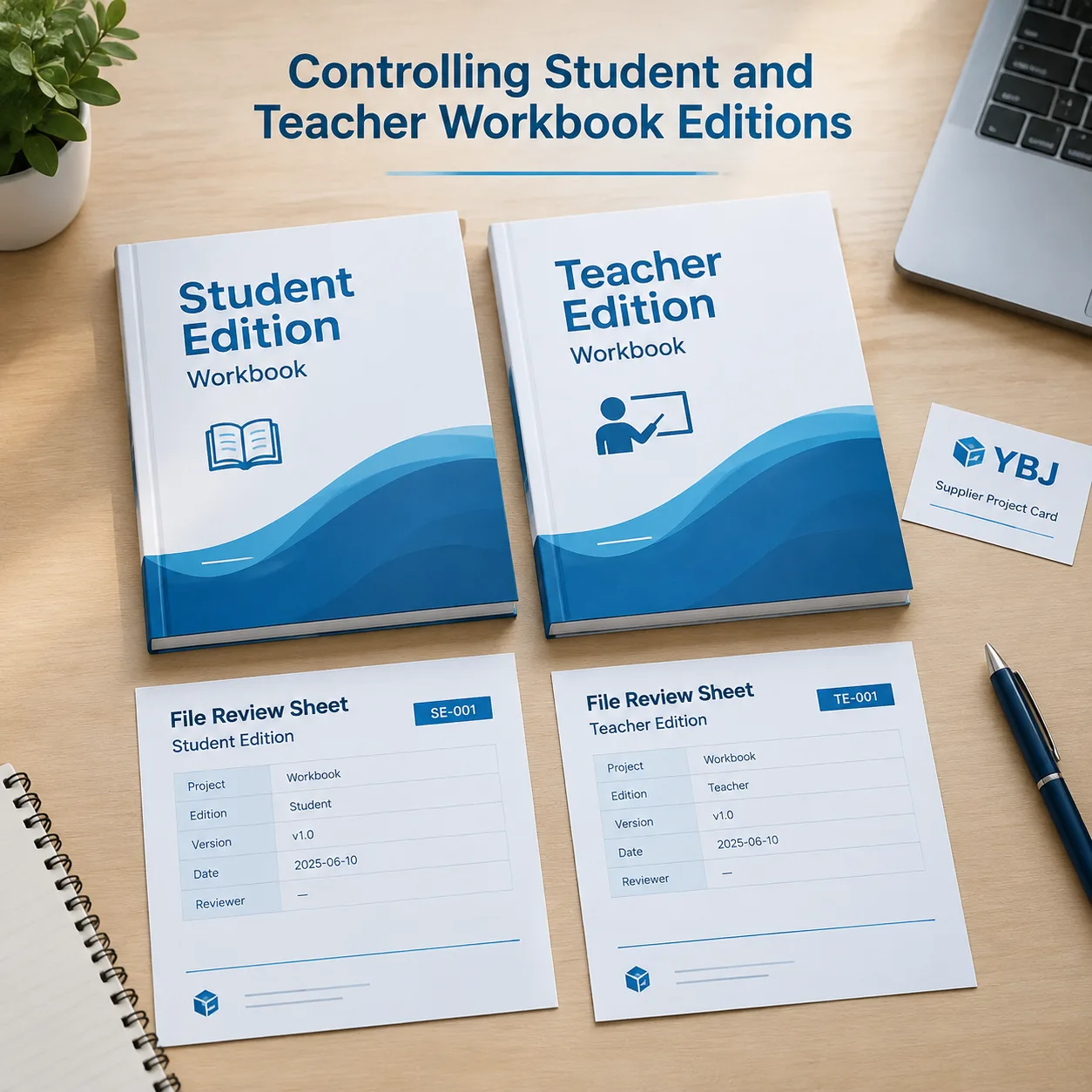
Teacher edition printing needs its own version controls because answers, teaching notes and additional pages can change both content and production requirements.
Choose whether the teacher book reproduces student pages with annotations, adds an answer section or uses a separate layout. Reproducing student pages at reduced size can make lesson references convenient, but check that questions and diagrams remain readable.
Use consistent exercise identifiers across editions. When extra teacher pages change pagination, reference the student page number explicitly. Do not rely on matching physical page positions.
- Use a visible edition label on the cover and title page.
- Assign separate file names, revision numbers and approval records.
- Check that student files contain no answers or hidden teacher annotations.
- Specify quantities and carton labels separately for each edition.
If teacher copies are intended for repeated use, their binding or cover finish may differ from the consumable student version. Quote that difference explicitly. Changes to shared exercises should trigger a review of both files before either edition receives final approval.
Prepare Files and Approve the Right Proofs
Approve both the educational content and the physical usability before production. A screen PDF can reveal missing questions, but it cannot establish writing performance or binding access.
- Confirm file requirements. Ask for the printer’s PDF settings, bleed, safe-area guidance and cover template. Supply single pages unless another arrangement is requested.
- Preflight the artwork. Check embedded fonts, image resolution, page dimensions, blank pages and color settings. Check fine rules and small text at actual size.
- Review the content proof. Verify instructions, numbering, answer spaces and correspondence between editions.
- Evaluate physical samples. Use a paper sample to test writing and a representative bound dummy to check thickness and opening.
- Record approval. Identify the approved file revision, materials and any agreed limitations of the proof.
Adobe’s guidance on printer’s marks and bleeds in InDesign explains document setup concepts. Apply the actual printer’s requirements rather than assuming one bleed value fits every job.
Ask whether a supplied proof uses the production paper, printing process and binding. A digital proof, color proof and blank dummy each answer different questions; none automatically verifies every aspect of the finished workbook.
Plan Cost, Production and Classroom Delivery
Workbook cost and lead time depend on the complete specification, approval schedule and delivery arrangement. Compare quotations using the same assumptions.
Trim size, page count, paper, color, binding, quantity and finishing all affect manufacturing cost. A larger run may spread setup costs across more copies, but unnecessary inventory can outweigh that saving. Estimate demand by title, grade and edition.
For classroom workbook production, work backward from the date books must reach the school or distributor. Allow for file checks, sample preparation, revisions, production, packing and transport. Material availability, specialty operations and customs clearance can change the schedule; confirm a project-specific estimate.
Request packing details when books will be distributed across classes or campuses. Agree on carton quantities, edition identification and any sorting requirements. Clear labels help prevent student and teacher copies from being mixed.
Quotation assumptions to confirm: quantity per edition; final page count; proposed stock; interior color; binding; cover finish; proof type; packing; shipping method; destination; and which freight, duties and taxes are included.
Guangzhou YBJ Printing Co., Ltd, founded in 1998, supports custom printing projects for global buyers. Share the required classroom arrival date early so production and worldwide delivery can be discussed together.
Buyer Checklist Before Production Approval
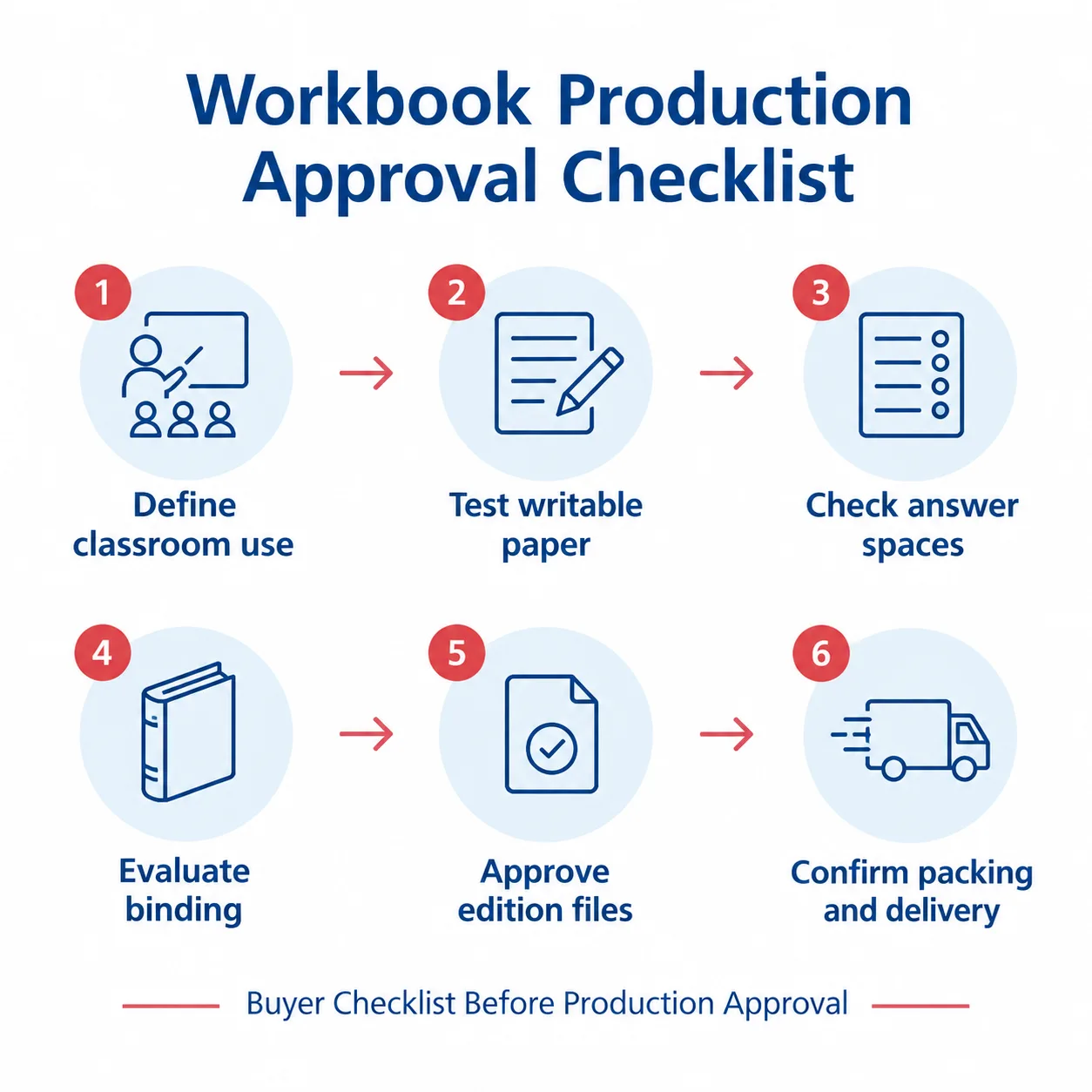
Release the workbook for production once the specification, content and representative usability checks are approved.
- Writing: Intended pencils and pens work acceptably on the proposed paper.
- Reverse-side use: Printed show-through and writing bleed-through are acceptable for the activities.
- Disposición: Students have enough response space, including near the binding.
- Construcción: Opening behavior and page handling suit classroom use.
- Contenido: Exercises, instructions and teacher answers have been checked.
- Archivos: Final revisions, page counts and cover artwork are identified.
- Versions: Student and teacher quantities, labels and packing are separate and clear.
- Commercial terms: Quotation scope, proof expectations and delivery assumptions are recorded.
Keep the approved specification and sample notes for future reprints. If the paper, binding or layout changes, repeat the relevant usability checks rather than assuming the new version will behave identically.
Key Takeaways for Writable Classroom Books
Successful workbook printing starts with the learner’s task and carries that requirement through paper selection, layout, binding and proof approval.
- Test the proposed paper with the writing tools students will use.
- Check answer spaces and gutter access in a full-size, representative sample.
- Control student and teacher editions as separate production versions.
- Compare quotations using complete specifications and agreed delivery assumptions.
A workbook should be easy to complete as well as easy to read. Resolve those practical details before production to give the classroom a usable learning resource.
PREGUNTAS FRECUENTES
What paper is best for a workbook students will write in?
Uncoated paper is usually a practical starting point. Select the final stock by testing the intended pencils, pens or coloring tools, along with erasing, drying and reverse-side usability. Paper weight alone does not guarantee writing performance.
What gutter margin should a workbook use?
There is no universal gutter margin. It depends on binding, thickness and the position of answer spaces. An 18–25 mm inner margin can be an initial assumption for a perfect-bound prototype, but confirm it with the printer and a physical dummy.
Is perfect binding suitable for classroom workbooks?
Perfect binding can suit longer student workbooks when the text block meets the printer’s requirements. Allow sufficient gutter space and check opening resistance. For tasks requiring flat opening, discuss other binding options and assess representative samples.
Can student and teacher editions be ordered together?
Yes, they can be planned together, but identify separate files, quantities, specifications and approvals. Cross-check exercise references and answers, and agree on distinct cover labels and packing to prevent editions from being mixed.
What information is needed for an accurate workbook printing quote?
Provide product type, trim size, page count, quantity by edition, interior color, paper and binding preferences, finish requirements, file status and destination country. Include proofing, packing and required arrival details so the quotation assumptions are clear.
Ready to Plan Your Custom Printing Project?
Tell YBJ Printing about your workbook type, trim size, page count, quantity by edition, paper or binding preferences, interior color, finish requirements, file status and destination country. Share sample exercise pages and your required classroom arrival date if available. Our team can recommend practical options and prepare a factory-direct quotation.