
Table of Contents
- What Is Mixed Color Book Printing?
- Why Color Page Count Alone Does Not Determine Cost
- Grouped Sections vs Scattered Color Pages
- How Book Signature Planning Affects Color Sections
- Plan Color Page Placement Before Final Layout
- Color Section Planning by Book Type
- Choose Paper and Binding Together
- Prepare Files and Proof the Complete Book
- Buyer Checklist for a Comparable Quotation
- Key Takeaways for Planning Color Sections
Combining monochrome text with selected color pages requires more than counting the illustrations. Learn how color placement, signatures, paper changes and binding affect production, and what to supply for a comparable quotation.
What Is Mixed Color Book Printing?
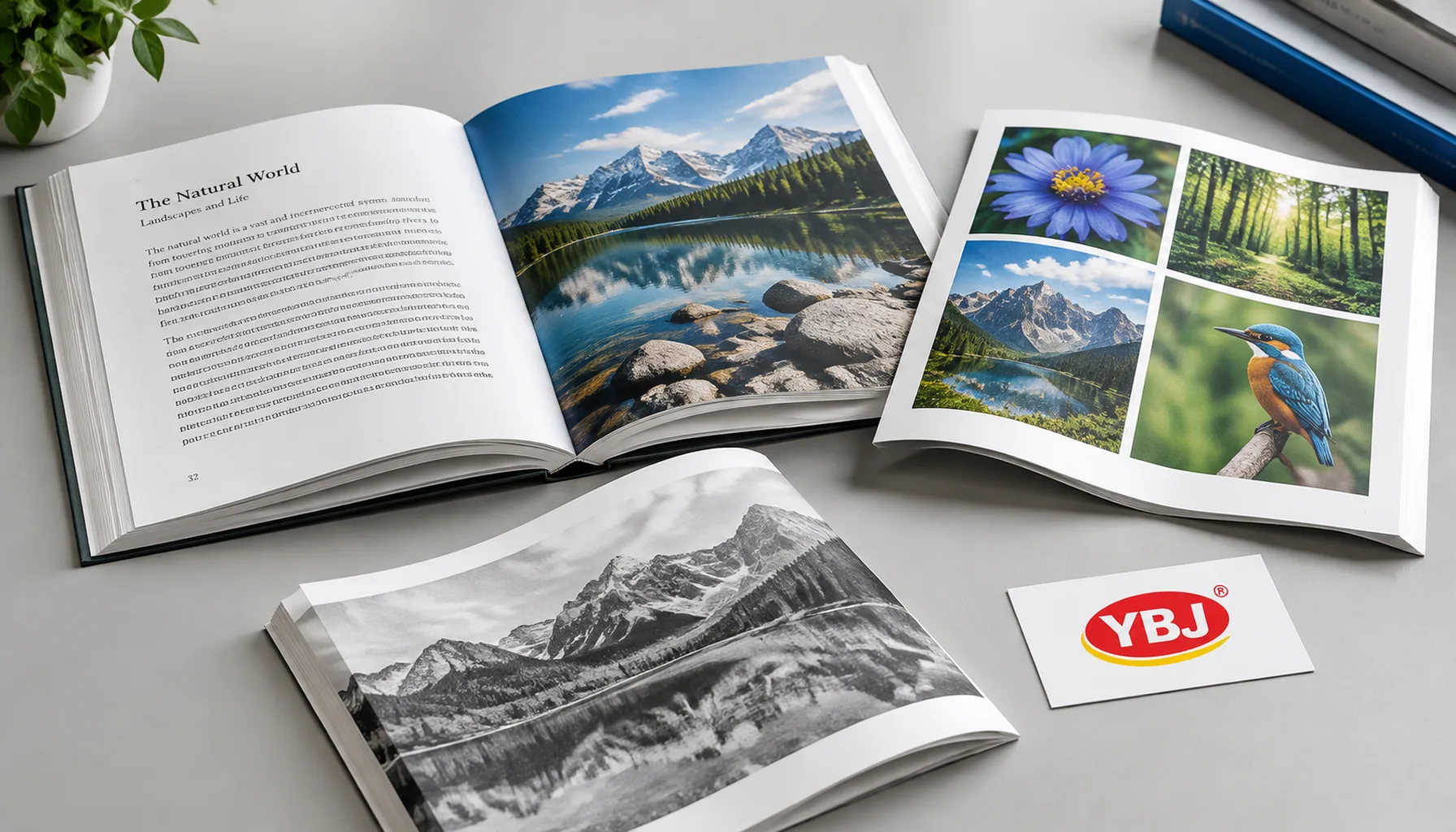
Mixed color book printing combines monochrome pages with selected pages printed in color. To plan it efficiently, identify which content needs color, decide where those pages belong, and ask the printer how that placement fits the printing sheets and binding structure.
Definition: A mixed color book contains both monochrome and color content. Its production specification must distinguish the appearance of each page from the ink configuration used to print each sheet or section.
Black and white books with color pages are common in educational, historical and technical publishing. Photographs, maps or diagrams may need color while the surrounding text remains black only.
A page containing only black text can still sit on a sheet printed through a color workflow. Consequently, counting visible color pages does not establish the production cost. Grouping illustrations into color plate sections can simplify production, but the suitability and savings depend on the actual book specification.
Why Color Page Count Alone Does Not Determine Cost
The production layout matters because offset printing places multiple book pages on a larger sheet before folding and binding. A color image can therefore affect the printing specification of other pages sharing that sheet or press form.
For example, sixteen color pages grouped into a compatible section may require a different production plan from sixteen color pages spread across the book. Scattered illustrations can bring color printing into several otherwise monochrome sections. The extent of that effect depends on imposition, press format and the selected workflow.
Quotation assumptions to state:
- The finished trim size, interior extent and order quantity.
- Which pages contain color and whether their positions can change.
- Whether text and color pages use the same paper.
- The printing method, binding and required proof type.
Offset setup includes plates and press preparation, so quantity affects how those costs are distributed. Digital production has different setup economics and may handle scattered color pages differently, subject to the equipment and charging model. Review the offset and digital printing comparison before selecting a method.
Request quotations for complete specifications. A claimed saving per color page is not meaningful without the sheet plan, stock, quantity and binding assumptions.
Grouped Sections vs Scattered Color Pages
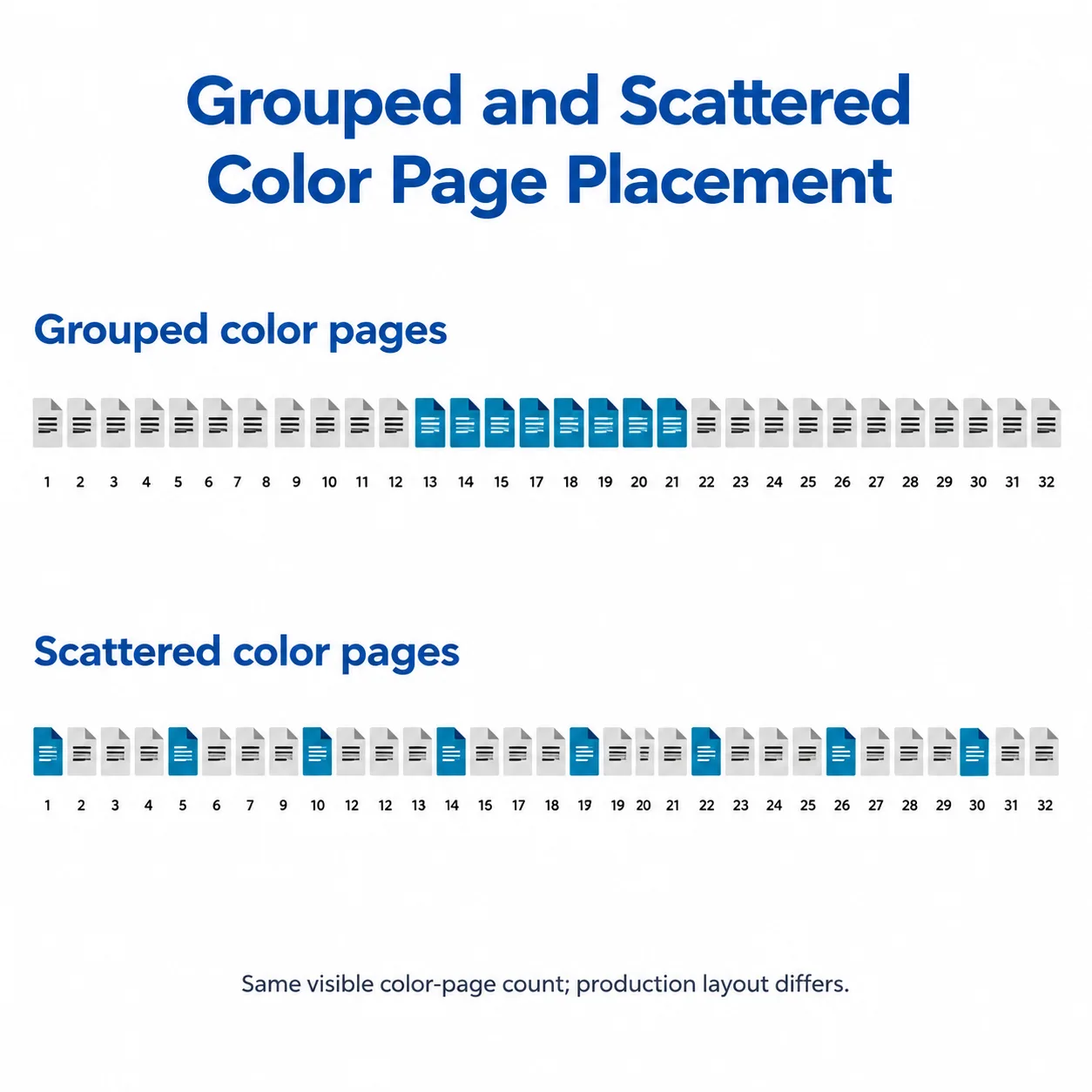
Grouped color sections often make offset production easier to organize, while scattered color pages keep illustrations beside the relevant text. Choose the layout by balancing reading needs with the printer’s proposed manufacturing plan.
| Layout option | Reader benefit | Production consequence | What to confirm |
|---|---|---|---|
| One grouped color section | Images form a convenient gallery or reference section. | May concentrate color printing and allow a separate paper stock. | Section position, page capacity and how it enters the binding. |
| Several grouped sections | Images remain near the chapters they support. | May require more forms, paper changes or gathering operations. | Whether each group fits a practical section structure. |
| Scattered color pages | Readers see each image beside its explanation. | Color may extend across multiple forms containing monochrome pages. | Which forms require color and whether a digital option is suitable. |
| Color production throughout the interior | Provides flexibility for color placement and later layout changes. | Uses a color workflow even where artwork is black only. | The price difference against a mixed production plan. |
A grouped layout is particularly useful when photographs can be referenced by figure number. Scattered color may be essential when readers must interpret diagrams while following instructions. Avoid moving critical illustrations so far from the text that the book becomes harder to use.
How Book Signature Planning Affects Color Sections
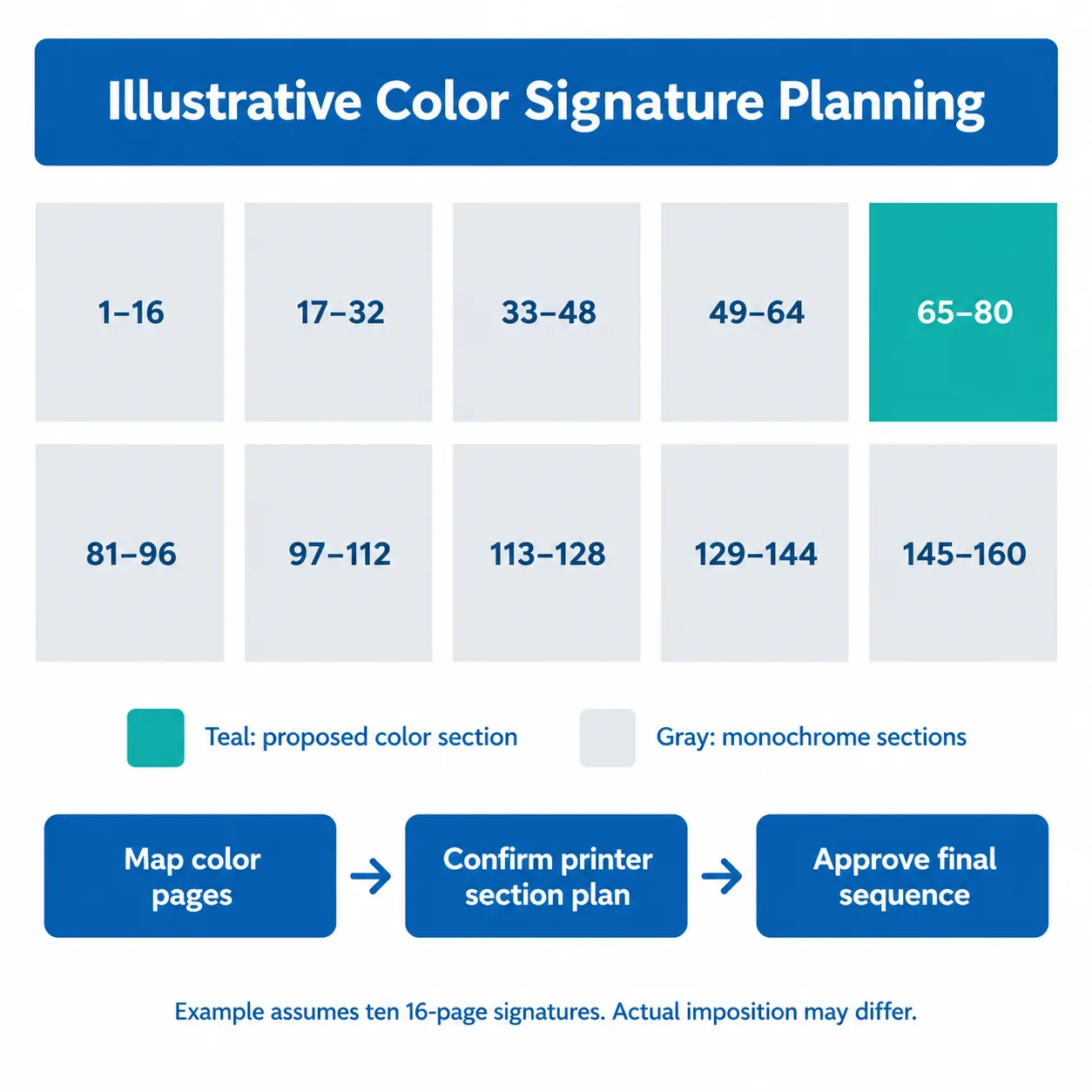
A signature is a folded group of pages assembled as part of a book. Book signature planning determines how the finished reading order relates to the pages printed together on a sheet.
Common section sizes include 8, 16 and 32 pages, but these are examples, not universal requirements. Trim size, press sheet dimensions, paper thickness, folding equipment and binding can change the practical configuration. Some books also contain smaller sections or separately inserted leaves.
Illustrative planning example: Assume a 160-page interior produced as ten consecutive 16-page signatures, with sixteen color pages included in that total. Placing the color content on pages 65–80 aligns it with one complete signature in this assumed structure.
Distributing color pages throughout the same book can bring color into several signatures. However, an affected signature does not automatically require every side of every sheet to print in CMYK. The printer must inspect the actual imposition and decide which forms need which inks.
If sixteen plate pages are added to an existing 160-page manuscript, the physical interior becomes 176 pages. Whether those plates have printed page numbers is a separate editorial decision. Include blank backs and unnumbered leaves when stating the production extent.
For background on how pages are rearranged for printing, see Adobe’s explanation of booklet imposition. Obtain the commercial section plan from your printer before changing pagination.
Plan Color Page Placement Before Final Layout
Plan color page placement while the layout is still flexible. Moving illustrations after pagination approval can change captions, cross-references, contents entries and the printing specification.
- Identify essential color. Mark images where color communicates information, such as map legends or diagnostic diagrams. Separate these from decorative color that could become grayscale.
- Create a page map. List PDF page position, printed page label, color requirement, paper preference and placement flexibility. Include front matter and blanks.
- Set editorial limits. Identify images that must remain beside text and those that can move to a chapter-end or central plate section.
- Request alternative layouts. Ask the printer to compare a grouped version with your preferred reading layout using the same quantity, trim size, binding and proof requirements.
- Approve the production map. Update references and captions, then freeze the final sequence before preparing production files.
A PDF page index and a printed page number are not always identical. For example, Roman-numbered front matter can shift where Arabic page 1 appears in the file. Use both identifiers in your page map to avoid ambiguity.
For offset book color sections, ask which boundaries the printer recommends and whether any adjustment changes the total extent. Never add blank pages solely to reach an assumed signature size without confirming that they serve the proposed production plan.
Color Section Planning by Book Type
The book’s purpose determines how much freedom you have to group color content. Use these product examples to prepare a specification, rather than assuming one layout suits every title.
| Book type | Typical color content | Layout to evaluate | Main buyer check |
|---|---|---|---|
| Memoir or history book | Archival photographs and maps | A central or chapter-end plate section | Captions and cross-references remain clear. |
| Textbook or technical manual | Charts, diagrams and instructional images | Color near the relevant lesson or procedure | Meaning remains clear in print and grayscale alternatives. |
| Cookbook | Finished-dish photographs and process images | Grouped photographs or images beside recipes | Readers can connect each photograph with its recipe. |
| Illustrated reference book | Specimen plates and identification images | Dedicated reference sections or chapter groups | Image detail, indexing and paper opacity suit the content. |
Cookbooks also need a practical balance between image reproduction and everyday handling. The cookbook paper and binding guide explains those related choices.
Choose Paper and Binding Together
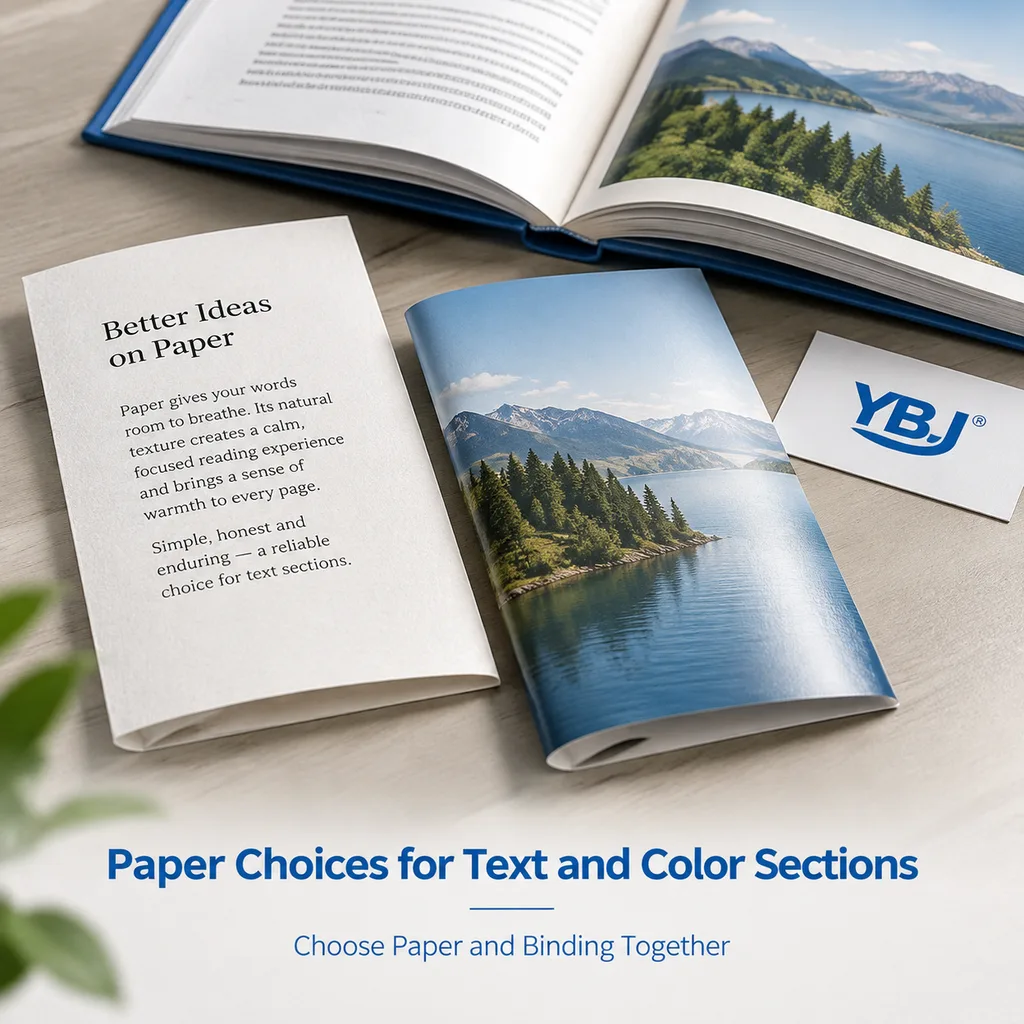
Using one interior stock simplifies paper handling; using separate stocks can give text and images different reading characteristics. Neither choice guarantees the lowest price or best result for every book.
Uncoated paper often suits long-form reading and accepts color printing, although photographs may appear less crisp or saturated than on a suitable coated stock. Coated paper can improve image detail but introduces a different surface and potentially different bulk. Paper weight alone does not establish opacity or thickness.
A change of stock also affects binding. Sewn books require compatible folded sections and gathering arrangements. Perfect-bound books need suitable paper and adhesive performance, especially when coated stocks are involved. Hardcover describes the cover construction; its book block still requires an appropriate assembly method.
Ask how a separate plate section will be incorporated. A folded section, a glued-in leaf and a tipped-in plate are different constructions, with different handling and attachment requirements. Do not specify them interchangeably.
If the color stock is thicker, confirm the final spine calculation and opening behavior. Request representative paper samples or a dummy when the contrast between sections matters. Stock availability, separate printing passes and additional assembly can affect lead time; obtain a schedule based on the approved specification.
Prepare Files and Proof the Complete Book
Supply files that match the approved page map, and check both color reproduction and physical sequence. Unless the printer requests otherwise, export interior pages in reading order as single pages and let prepress handle imposition.
Keep monochrome text and grayscale images in the agreed black-only configuration. In a CMYK workflow, ordinary black body text is commonly specified as 100% K rather than four-color black. Accidental CMY components can turn an intended monochrome page into color content or create registration concerns.
Prepare color artwork to the printer’s agreed profile and export settings. Confirm whether production uses CMYK process inks or any spot inks; a spot-color diagram is not automatically equivalent to a full-color photograph. The guide to CMYK, RGB and Pantone for books explains these distinctions.
Preflight should check separations, image resolution at placed size, fonts, bleed and unintended color objects. If separate PDFs are requested for different sections, provide a master sequence map and clear filenames.
For approval, check captions, blanks, page order and section placement alongside image detail and color. A screen PDF does not establish paper feel or bound construction. A color proof may simulate an agreed printing condition without reproducing the exact production stock.
Specify what each proof is intended to verify. Read the guide to hard proofs before mass production when planning approval stages.
Buyer Checklist for a Comparable Quotation
A useful quotation separates the book’s finished specification from any proposed layout changes. Send the following checklist with your files or preliminary page map.
- Product and dimensions: book type, trim size and cover construction.
- Interior extent: total physical pages, including plates, front matter and blanks; state the cover separately.
- Color map: exact color positions or proposed ranges, ink requirements and permitted movement.
- Quantity: required copies and any alternative quantities to compare.
- Materials: text and plate paper preferences, binding and cover or interior finishes.
- Files and approval: current file status, expected revisions and required proofs.
- Delivery: destination country, postal code where available and requested arrival window.
Ask each supplier to identify its assumed printing method, section structure, paper substitutions, proof scope and delivery basis. This makes differences in quotations easier to explain.
Compare the grouped and scattered versions with those other variables held constant. If a proposal changes paper or binding as well, request those differences separately. Allow the schedule to account for prepress corrections, proof approval, material sourcing, production and international transport.
Key Takeaways for Planning Color Sections
- Color placement can affect production beyond the pages containing illustrations.
- Grouped sections may simplify offset production, subject to the actual sheet and binding plan.
- Physical page count includes unnumbered plates and blanks.
- Paper, binding, files and proof scope belong in the same quotation discussion.
Mixed color book printing works best when the reading layout and manufacturing plan are developed together. Establish the essential color content, compare practical section arrangements, and approve a complete page map before production.
FAQ
Is mixed color book printing always cheaper than printing the whole interior in color?
No. Savings depend on quantity, imposition, paper, setup and binding. Scattered color pages may affect multiple press forms, while separate sections can add assembly work. Compare complete quotations using the same core specification.
Must a color section contain exactly sixteen pages?
No. Sixteen pages is one possible folded section size. Practical section sizes depend on trim size, paper, press format, folding and binding. Ask the printer to confirm suitable page ranges before changing the layout.
Can color pages use the same paper as the black-only text?
Yes, if the stock suits both reading and image reproduction. Color can print on uncoated paper, but the result differs from coated stock. Evaluate image detail, opacity, paper feel and the agreed proofing condition.
Do unnumbered color plates count toward the total page count?
Yes. Physical plates and blank pages count toward the manufactured interior even when no page numbers are printed. One leaf has two sides, so clarify whether a quoted plate count means leaves or pages.
Should I impose the color sections before sending my PDF?
Usually, supply single pages in reading order and a color page map. The printer normally handles production imposition. If separate section files or another format are requested, follow the agreed instructions and provide a master sequence map.
Ready to Plan Your Custom Printing Project?
Tell YBJ Printing about your product type, trim size, total page count, quantity, paper or binding preferences, finish requirements, file status and destination country. Include your color page map and note which illustrations can move. Our team can discuss practical section layouts and prepare a factory-direct quotation for your custom book.