
Table of Contents
- What Brochure Folding Options Mean
- Compare Common Brochure Folds
- Calculate Flat Size, Folded Size and Panel Widths
- Plan the Cover and Reading Sequence
- Choose Paper and Decide Whether to Score
- Prepare Folded Brochure Artwork for Printing
- Match the Brochure Specification to Its Use
- Buyer Checklist Before Production Approval
- What Affects Brochure Cost and Lead Time?
- Frequently Asked Questions
- Key Takeaways for a Brochure That Folds Correctly
Choose a brochure fold that suits your message, then prepare artwork around its panel widths and opening sequence. This guide explains common folds, practical sizes, scoring, PDF setup and production checks.
What Brochure Folding Options Mean
Brochure folding options determine how a printed sheet closes, opens and presents its information. Choose the fold around your message and distribution method, then build the artwork on a printer-approved panel template. A half-fold suits a simple four-face presentation; a tri-fold organizes compact sections; a Z-fold supports a continuous sequence; and a gatefold creates a central reveal.
Definition: A folded brochure is an unbound printed sheet divided into panels by folds. A panel is one physical section of the sheet; each panel has two printable faces, one on each side.
A three-panel brochure therefore offers six printable faces. Suppliers may describe this as a six-page brochure, so include the fold name, flat size and folded size in your specification to prevent confusion.
Unlike a bound booklet, a folded sheet does not follow a saddle-stitch page-count rule. If your content needs many separate pages, compare booklet binding options by page count and use before compressing everything into a brochure.
Compare Common Brochure Folds
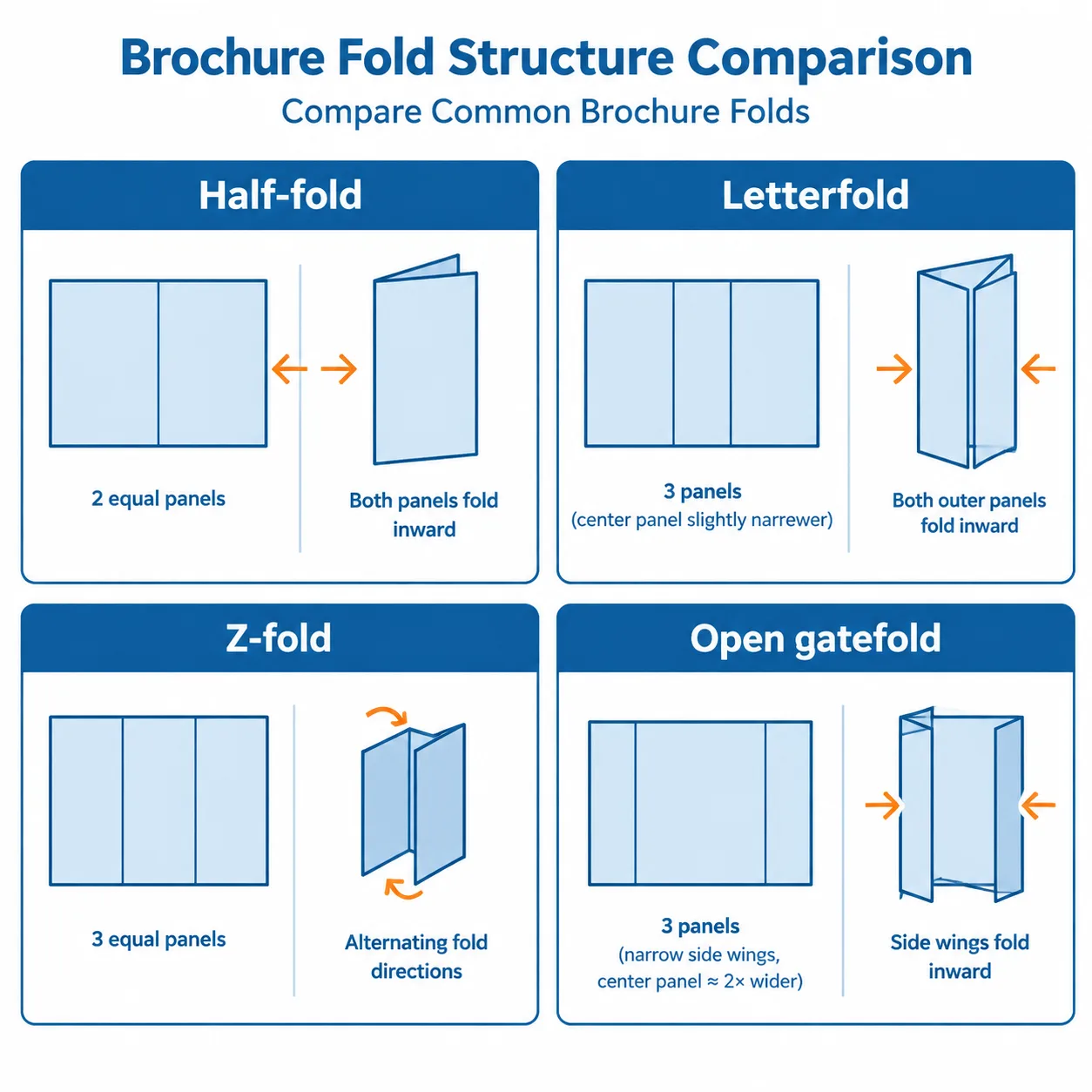
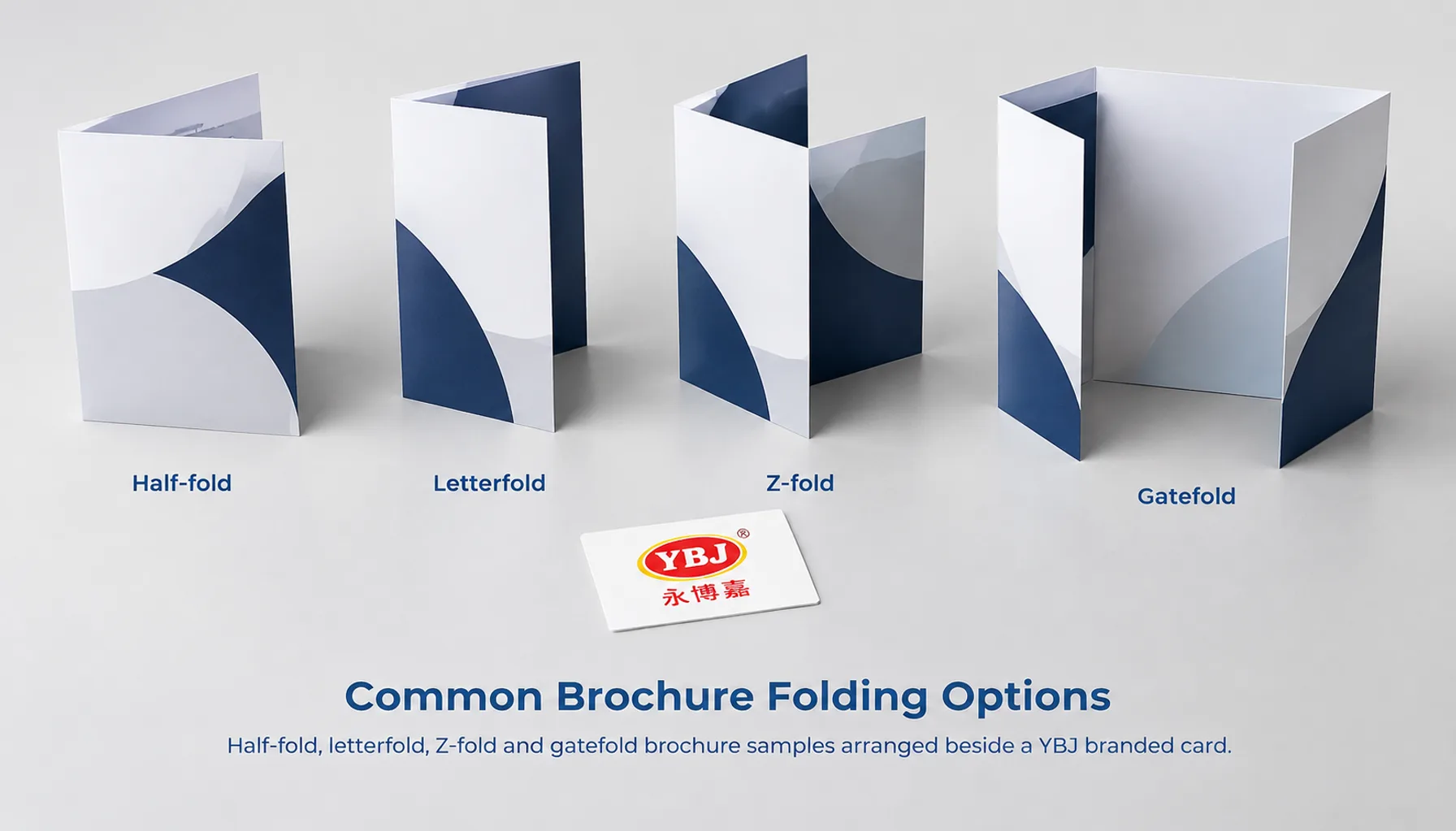
The best fold gives each message enough space and makes the opening sequence easy to follow. Fold names can vary between suppliers, so approve a diagram or physical sample as well as the written specification.
| Fold | Panels / printable faces | Typical application | Main artwork consideration |
|---|---|---|---|
| Half-fold | 2 / 4 | Company introductions, menus and short presentations | Usually two equal panels; identify front and back covers. |
| Tri-fold / letterfold | 3 / 6 | Service summaries and compact sales literature | The panel tucked inside is usually narrower. |
| Z-fold / accordion fold | 3 / 6 for a three-panel version | Process guides, timelines and sequential information | Panels are usually equal; verify both-side orientation. |
| Open gatefold | 3 / 6 | Product reveals and image-led presentations | Two narrow wings close toward a wider center panel. |
| Closed / double gatefold | 4 / 8 | Presentations needing a compact closed format | An additional center fold closes the gatefold; allowances depend on construction. |
| Four-panel roll fold | 4 / 8 | Information revealed in successive stages | Inner panels generally need progressively adjusted widths. |
For this guide, “tri-fold” means a letterfold with one panel tucked inside. Some buyers also use that name for a Z-fold. Including a folding sketch removes that ambiguity.
A Z-fold opens in alternating directions and can display a continuous diagram across one side. A letterfold creates a front cover, an initial reveal and a larger inside spread. Gatefold brochure printing works well when the opening action supports the presentation, but the meeting edges require careful artwork placement.
Calculate Flat Size, Folded Size and Panel Widths
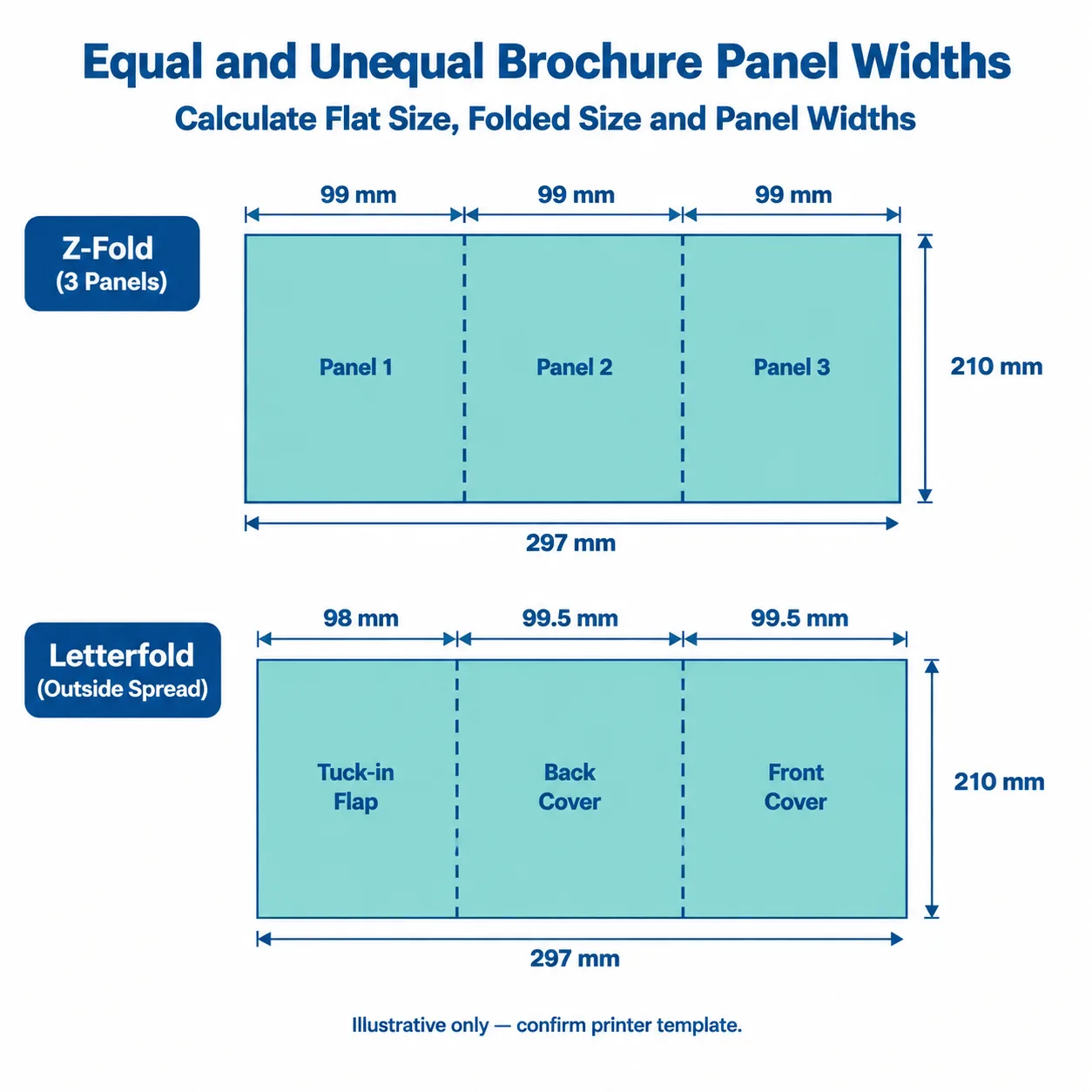
Specify both the flat trimmed sheet size and the closed finished size. “A4 brochure” alone is unclear: it could mean an A4 sheet folded smaller or a brochure that remains A4 when closed.
For vertical folds, the flat width equals the sum of all panel widths. The height normally stays unchanged. The closed width depends on the fold pattern and its allowances.
| Flat trimmed sheet | Fold | Nominal closed size |
|---|---|---|
| A4 landscape: 297 × 210 mm | Half-fold | 148.5 × 210 mm |
| A4 landscape: 297 × 210 mm | Three-panel Z-fold | 99 × 210 mm |
| US Letter landscape: 11 × 8.5 in | Half-fold | 5.5 × 8.5 in |
| US Letter landscape: 11 × 8.5 in | Three-panel Z-fold | Approximately 3.667 × 8.5 in |
Tri-fold brochure panels should not automatically be divided into equal thirds. An illustrative A4 letterfold might use widths of 98, 99.5 and 99.5 mm, totaling 297 mm. The 98 mm panel would tuck inside. These are explanatory dimensions, not an approved production template.
The required reduction depends on paper caliper, coating, folding equipment and the desired closure. Thicker material occupies more space inside the fold. Confirm the allowance before placing artwork, and check that the resulting closed brochure fits its envelope, display rack or mailing pack.
Plan the Cover and Reading Sequence
Confirm the reading sequence with a folded paper dummy before designing finished artwork. Screen layouts can hide an upside-down panel or a cover placed on the wrong face.
- Cut a sheet to the proposed flat size and mark the approved fold positions.
- Fold it into the intended closed format.
- Write “front cover” and “back cover” on the visible faces.
- Open it as a reader would and number the remaining faces in reading order.
- Unfold it and transfer those labels to the artwork template.
For a common letterfold arrangement, the outside spread shows the tuck-in flap at left, back cover in the middle and front cover at right. Folding direction can reverse this arrangement, so use it only as an example. The printer’s template and your dummy determine the final positions.
A Z-fold brochure layout needs particular attention on the reverse side. Information that appears adjacent on screen may be encountered at different stages when folded. Mark the top edge on both sides of the dummy to check orientation.
For gatefolds, keep logos, small text and faces away from the point where the wings meet. Small folding variations can interrupt a precise image join. Let broad backgrounds cross folds, while keeping essential content comfortably within each panel.
Choose Paper and Decide Whether to Score
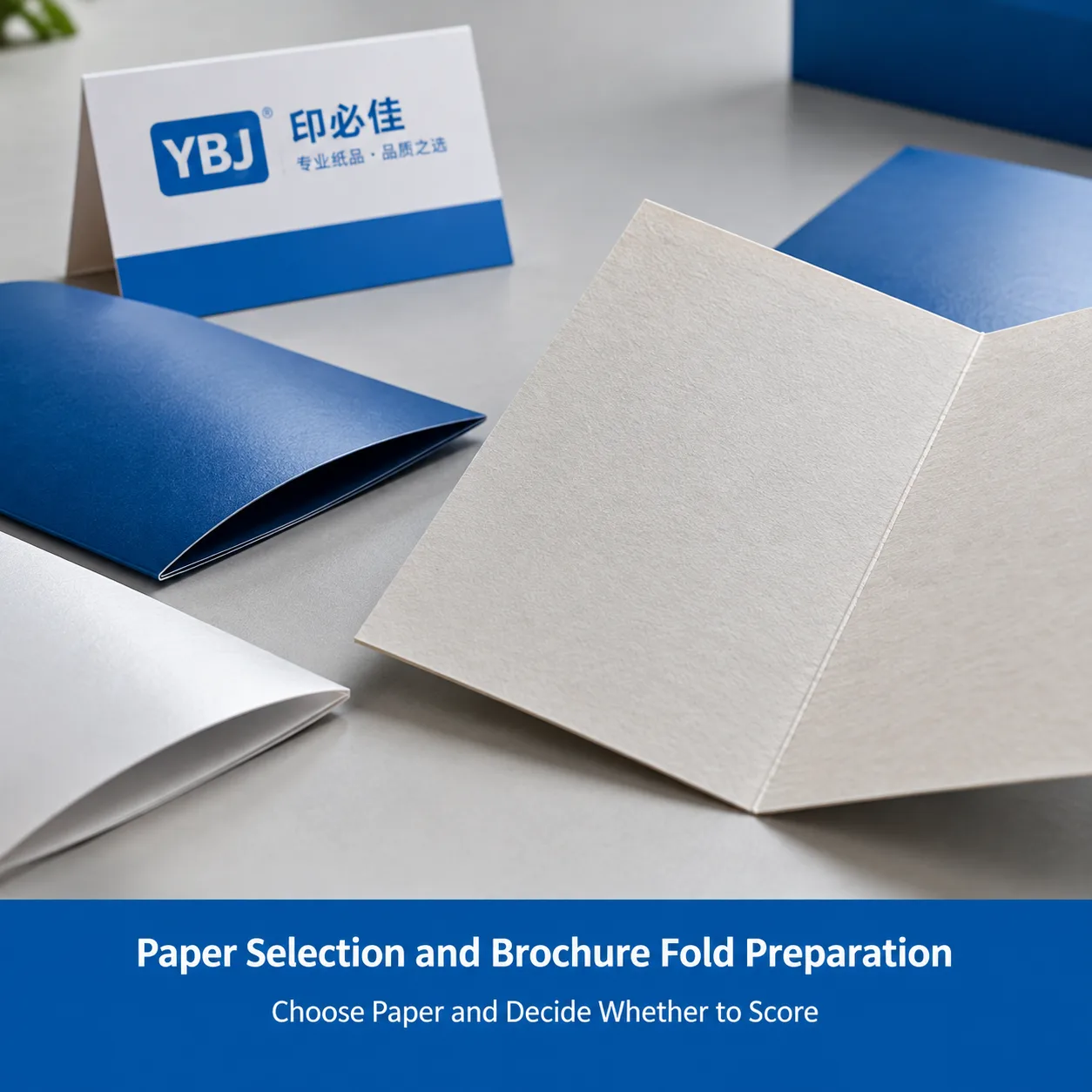
Paper choice affects folding as well as appearance. Compare weight, actual thickness, stiffness, surface finish and grain direction; grams per square meter alone do not predict how a brochure will close.
For initial discussion, lighter coated stocks around 115–150 gsm may suit compact handouts, while 170–250 gsm stocks can provide a more substantial feel. These are planning ranges, not fixed recommendations. Ask for a folded sample when choosing heavier stock, several inward folds or additional finishes.
Brochure scoring creates a controlled line to help the sheet fold. Creasing typically forms a compressed channel using matched tooling; terminology varies, so ask how the fold will be prepared. This can reduce cracking risk on thicker papers, especially where heavy ink coverage crosses the fold, but it does not eliminate every risk.
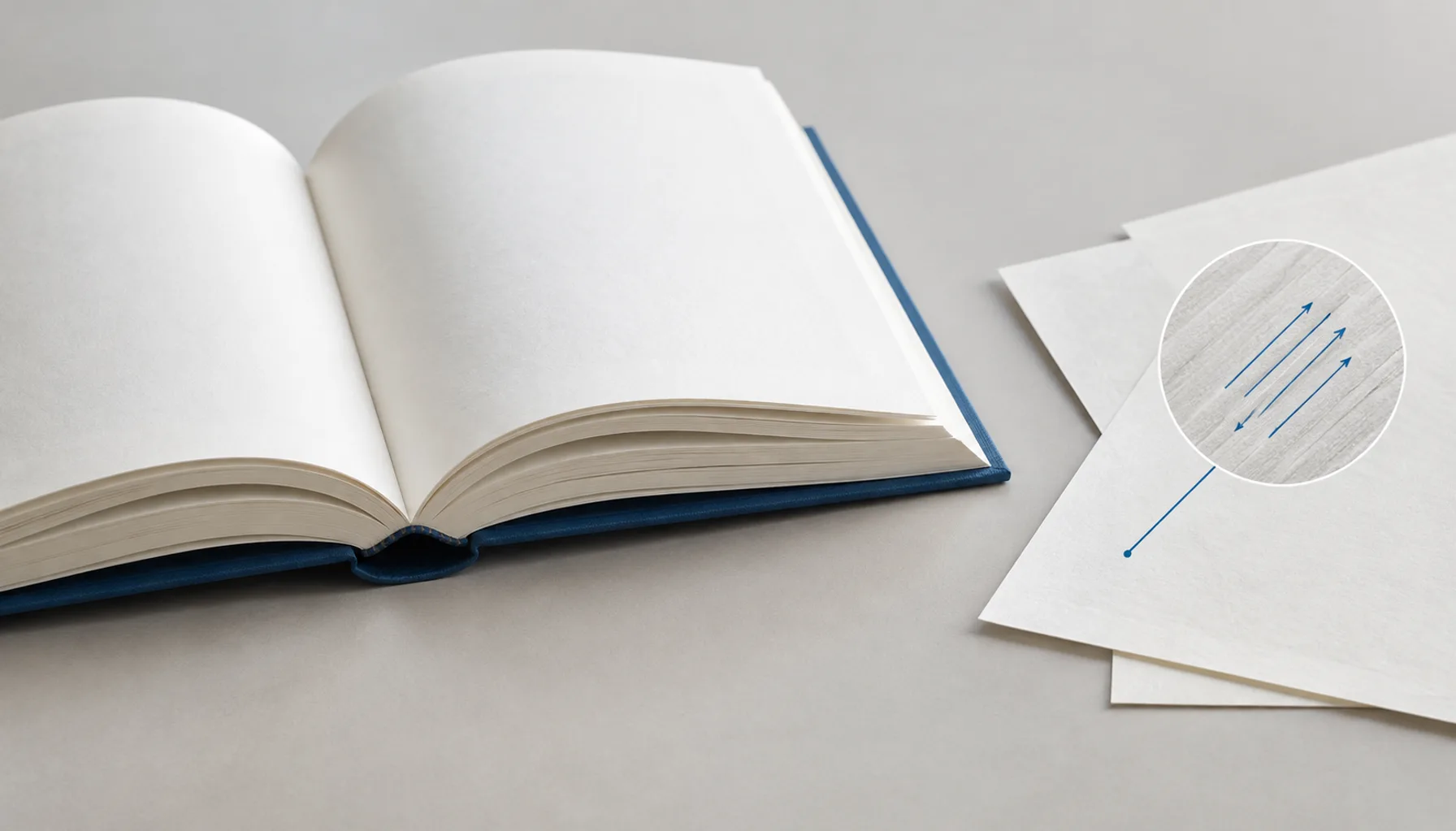
Where practical, grain should run parallel to the fold for smoother folding. Multiple fold directions, sheet layout and material availability can require compromises. Lamination also changes stiffness and may affect closure, so assess the complete finished construction.
The principles in our guide to paper weight, finish and cover stock can help you compare surfaces and handling qualities. For a folded brochure, also check spring-back, panel nesting and the appearance of the fold line.
Prepare Folded Brochure Artwork for Printing
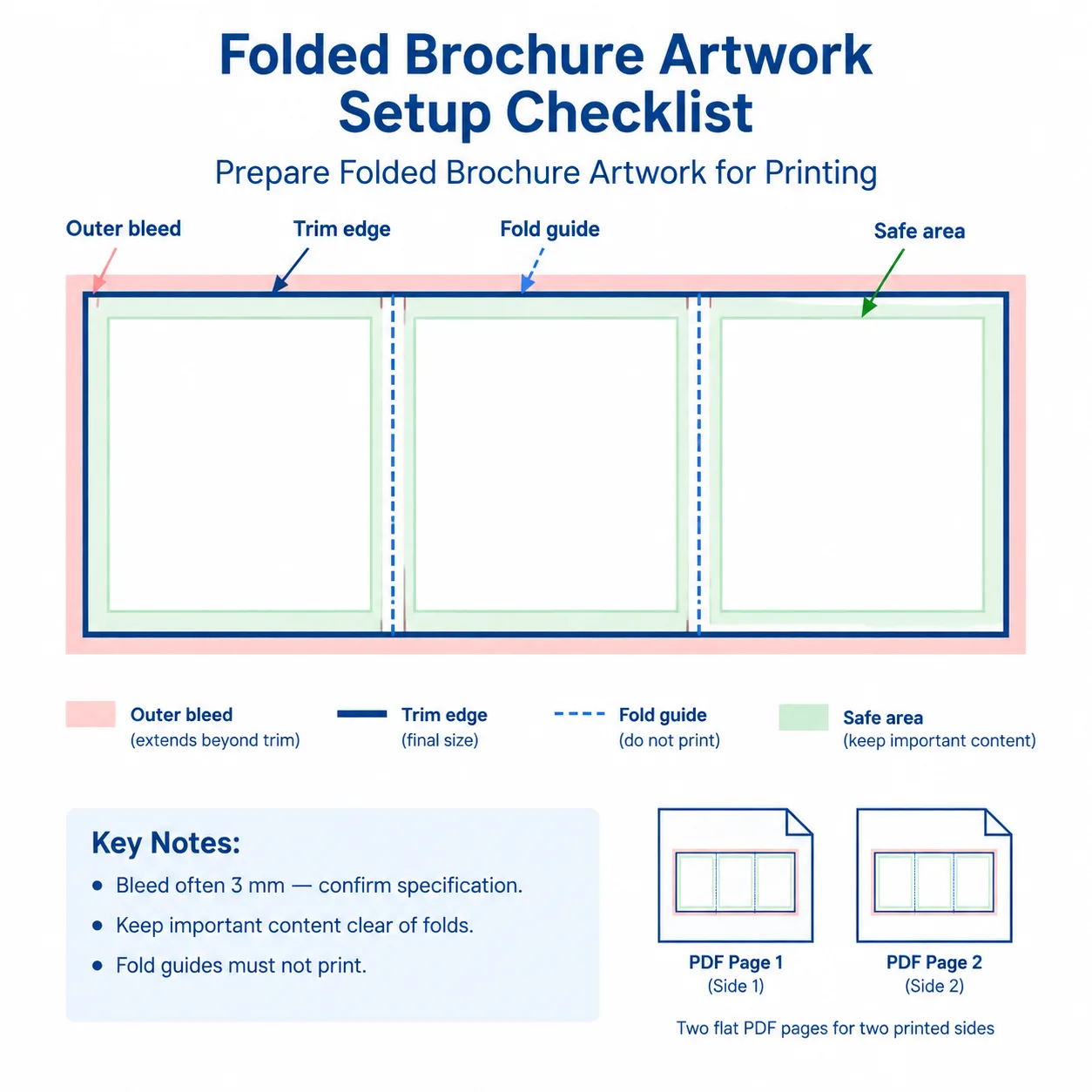
Prepare folded brochure artwork as the two sides of the flat trimmed sheet, unless your printer requests another format. Do not supply separate panel files or impose multiple brochures onto a press sheet without agreement.
- Confirm the template. Obtain the flat dimensions, panel widths, folding direction and any scoring requirements. Build each side at the same flat trim size.
- Add outer-edge bleed. A common starting point is 3 mm beyond the sheet’s trimmed perimeter, but use the printer’s requirement. Internal fold lines do not normally need separate bleed because the sheet remains continuous.
- Set safe areas. Keep important text and logos away from trim edges and folds. A 3–5 mm margin can be a starting point, but narrow panels, fold variation and critical joins may require more space.
- Check images and type. Around 300 ppi at final size is a common target for continuous-tone images. Keep suitable logos and line art as vectors, embed fonts and inspect small text at actual size.
- Agree on color settings. Use the requested color workflow and output profile. Specify intended spot colors and check overprint settings, particularly white objects and fine black text.
- Export and inspect the PDF. Use the requested PDF standard. Check trim and bleed boxes, both-side orientation, missing links, font handling and any finishing separations.
Keep fold guides on a nonprinting layer or in a separate annotated proof, according to the printer’s instructions. A visible guide inside the production artwork can accidentally print. Add printer’s marks only when requested.
For software instructions, see Adobe’s guidance on printer’s marks and bleeds in InDesign and exporting print PDFs. Our PDF export and preflight workflow explains checks that also apply to brochures; use the brochure’s flat-sheet layout rather than book page settings.
Match the Brochure Specification to Its Use
A useful brochure specification starts with how the piece will be handled. The examples below are planning combinations, not a product catalog or confirmation of available stock.
| Application | Format to consider | Material or finish consideration | Check before ordering |
|---|---|---|---|
| Trade-show handout | Compact letterfold | Balance portability with readable text and sufficient opacity. | Panel space, carry weight and display-rack fit. |
| Installation or process guide | Z-fold | A writable or low-glare surface may suit instructions. | Step order, diagram clarity and reverse-side orientation. |
| Product launch presentation | Open gatefold | Evaluate a more substantial stock with suitable scoring. | Wing clearance, center reveal and closure. |
| Short corporate overview | Half-fold | Choose a surface that supports photographs and text. | Cover impact and inside-spread legibility. |
Review a full-size mock-up before adding finishes. A metallic accent or spot coating should support the message, while its placement near folds needs production review.
Buyer Checklist Before Production Approval
Approve the brochure’s physical construction as well as its printed content. A PDF proof can reveal layout problems, but it cannot demonstrate the feel or closure of the actual paper.
- Specification: Confirm flat size, closed size, fold diagram, panel widths, quantity, stock and finish.
- Sequence: Check the front cover, back cover, first reveal and orientation of every face.
- Artwork: Verify bleed, safe areas, image quality, fonts, colors and removal of printing fold guides.
- Physical behavior: Assess inward-panel clearance, cracking, spring-back and alignment using an appropriate folded sample.
- Content: Proofread product names, contact details, translations and offer terms. Test QR codes at their intended printed size.
- Delivery: Confirm packing requirements, destination and the required arrival date for planning.
Ask what each proof represents. A plain-paper dummy verifies sequence and approximate dimensions; a stock dummy helps assess folding behavior. A color proof serves a different purpose. An office printout on unrelated paper cannot establish final fold performance or press color.
What Affects Brochure Cost and Lead Time?
Brochure cost depends on quantity, flat sheet size, paper, printing, finishing, folding complexity and delivery requirements. More panels do not necessarily mean a proportionate price increase: sheet utilization and production setup also matter.
Compare quotations using identical specifications. State whether scoring, proofs, packing and freight are included. Separate production cost from shipping so changes in destination or transport method remain clear.
Lead-time estimates depend on approved files, material availability, proof decisions, production scheduling and transport. Artwork corrections, special finishes and additional sample rounds can extend the process. Share the required arrival date early, and confirm the schedule against the final specification rather than assuming a standard turnaround.
Frequently Asked Questions
Are all tri-fold brochure panels the same width?
No. A letterfold usually needs a narrower tuck-in panel so it closes cleanly. A three-panel Z-fold generally uses equal widths. Confirm the fold diagram and paper-dependent allowances before designing.
What is the difference between a tri-fold and a Z-fold?
A letterfold tri-fold folds one panel inside another. A Z-fold folds in alternating directions like an accordion. Both have three panels and six printable faces, but their reading sequences differ.
Does every brochure need scoring?
No. The need depends on paper thickness, surface, grain direction, ink coverage and finish. Heavier stocks and demanding fold areas often benefit from scoring or creasing. Confirm with a sample and production review.
Should I send six PDF pages for a three-panel brochure?
Usually, supply two PDF pages at the flat trimmed sheet size: one for each printed side, with panels positioned correctly. Follow the printer’s instructions if a different format is requested.
Do I add bleed at the internal fold lines?
Normally, no. Bleed extends beyond the outer trimmed edges of the sheet. Artwork can continue across internal folds, while important text should stay clear of them. Use the approved template.
Key Takeaways for a Brochure That Folds Correctly
- Choose the fold around the reading sequence and intended use.
- Specify flat and closed sizes, and approve any unequal panel widths.
- Evaluate paper, grain, scoring and finish together.
- Check both sides of the artwork against a folded dummy.
A successful brochure combines clear content with a workable physical layout. Agree on the construction before final design, use the approved template and match each proof to the question it can answer. These steps help avoid cramped panels, incorrect covers and folds that interfere with the message.
FAQ
Are all tri-fold brochure panels the same width?
No. A letterfold usually needs a narrower tuck-in panel so it closes cleanly. A three-panel Z-fold generally uses equal widths. Confirm the fold diagram and paper-dependent allowances before designing.
What is the difference between a tri-fold and a Z-fold?
A letterfold tri-fold folds one panel inside another. A Z-fold folds in alternating directions like an accordion. Both have three panels and six printable faces, but their reading sequences differ.
Does every brochure need scoring?
No. The need depends on paper thickness, surface, grain direction, ink coverage and finish. Heavier stocks and demanding fold areas often benefit from scoring or creasing. Confirm with a sample and production review.
Should I send six PDF pages for a three-panel brochure?
Usually, supply two PDF pages at the flat trimmed sheet size: one for each printed side, with panels positioned correctly. Follow the printer’s instructions if a different format is requested.
Do I add bleed at the internal fold lines?
Normally, no. Bleed extends beyond the outer trimmed edges of the sheet. Artwork can continue across internal folds, while important text should stay clear of them. Use the approved template.
Ready to Plan Your Custom Printing Project?
Tell YBJ Printing about your brochure product type, flat trim size and folded size, panel or page count, quantity, paper and fold preferences, finish requirements, file status and destination country. For an unbound brochure, specify folding in place of binding. Our team can discuss practical options and prepare a factory-direct quotation based on your project details.