
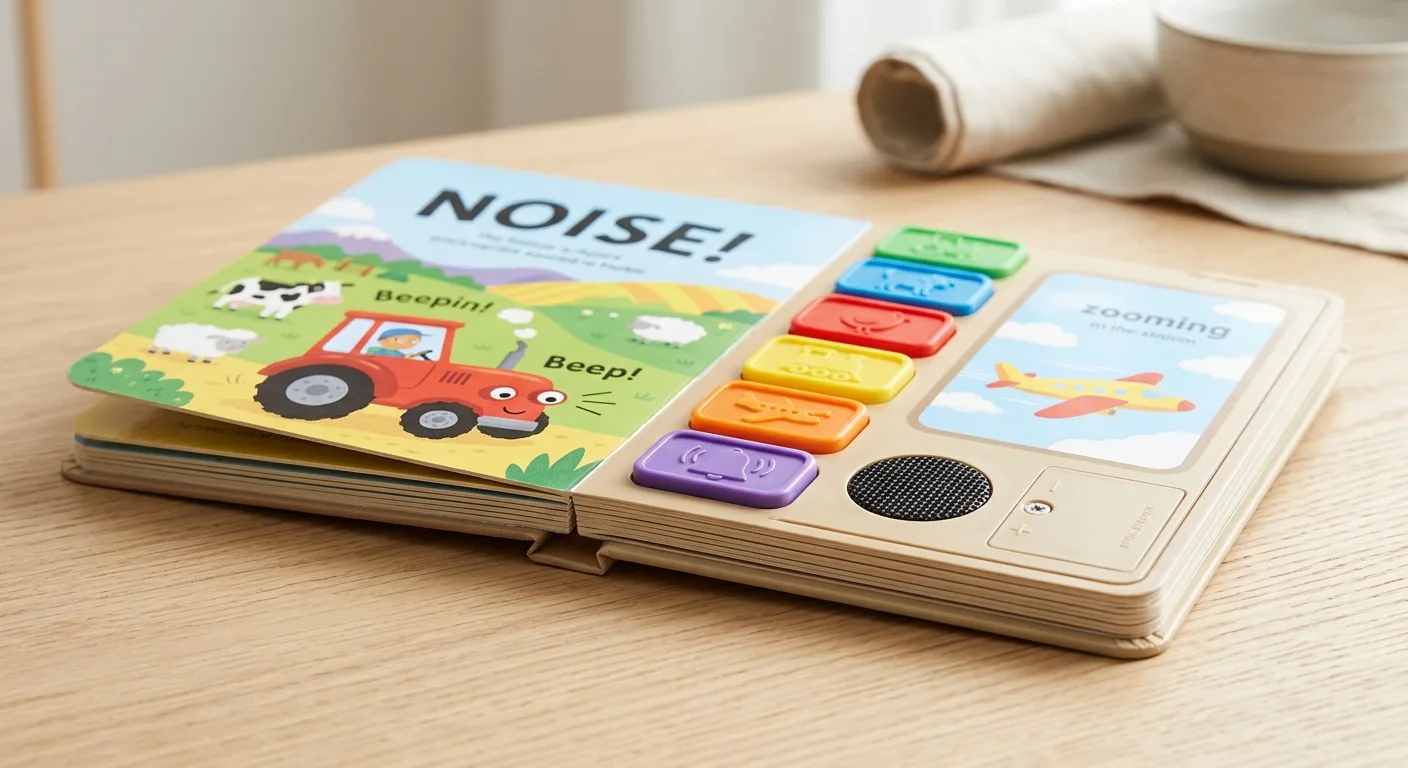
Table of Contents
- What are children’s sound book components?
- Sound book buttons and page triggers
- Sound module, audio files and speaker
- Battery options and power design
- Housing, board construction and binding
- Buyer checklist before production
- Common component questions
- Conclusion
A practical guide to the buttons, sound modules, batteries, speakers and protective structures used in custom children’s sound books, with key decisions that affect usability, safety, cost and production.
What are children’s sound book components?
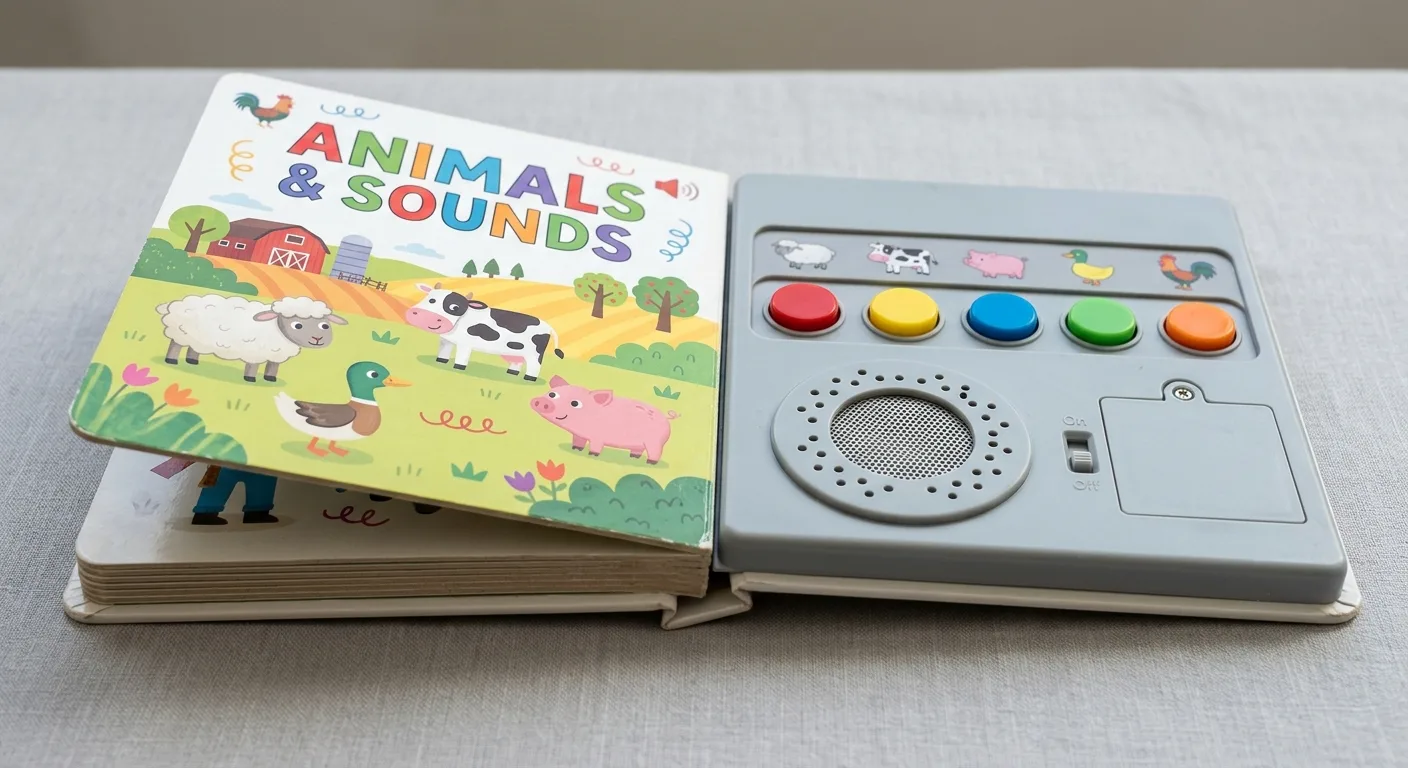
Children’s sound book components are the electronic and structural parts that let a printed book play audio. A typical sound book combines printed board pages with a button or trigger, an audio playback module, a speaker, a battery supply and a protective housing. These elements must be planned as one product rather than added after the book layout is finished.
For publishers, educational brands and retailers, the main buying decision is not simply whether a book can play sound. It is whether each component supports the intended age group, content format, expected handling and target market requirements. A nursery-rhyme book with one sound per spread needs a different arrangement from a vocabulary book with many independent picture buttons.
The printed book and electronics also influence each other. The module location affects cover or page design, the number of sounds affects button layout, and the battery compartment affects the thickness and construction of the product. Early coordination reduces late artwork changes and makes sampling more meaningful.
Before developing an electronic title, review the production considerations in this guide to integrating sound modules in children’s books. It explains why audio, paper engineering and assembly need to be considered together.
Sound book buttons and page triggers
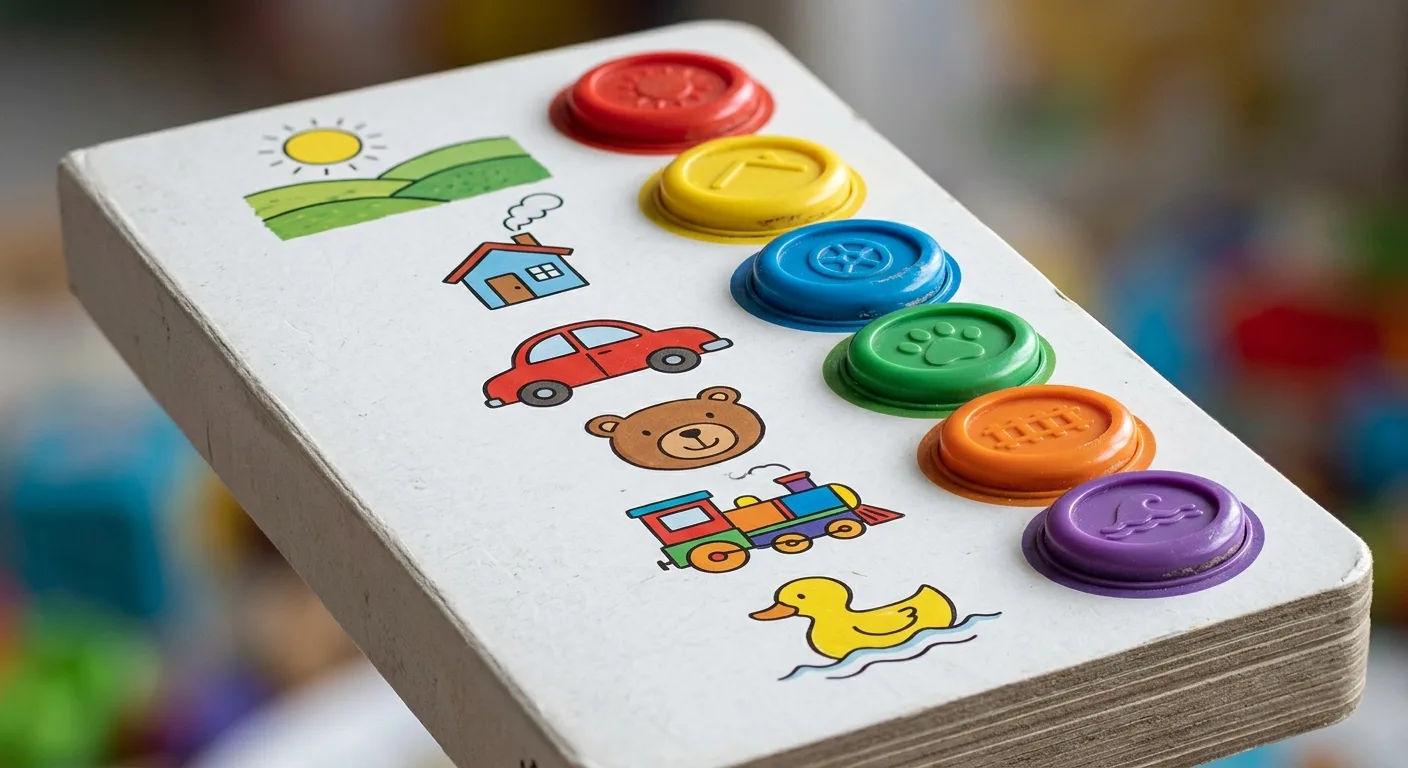
Buttons are the user-facing controls in a sound book. They send a signal to the module, which plays the assigned audio file. In most children’s titles, buttons are positioned on a sound panel, often beside an illustration, icon or short instruction. The printed artwork should make the intended action obvious without overcrowding the page.
Push buttons
A push button is the most familiar option. Each button can be linked to a separate sound, such as an animal call, letter pronunciation, instrument or line of narration. It is suitable when children should choose sounds independently. Button count affects panel size, wiring complexity, audio assignment and assembly time, so it should be fixed before final artwork is prepared.
Membrane or concealed switches
Some concepts use a flatter activation area beneath a printed surface. This can produce a cleaner visual presentation, but the response must be tested carefully. Young children benefit from clear tactile feedback, and a subtle switch may be harder to locate or operate. The print design should identify the touch point clearly and allow for manufacturing tolerances.
Page-turn and pull-tab triggers
Page-triggered sound can play automatically when a child opens a spread or moves a paper element. This supports read-along storytelling, although it gives the reader less direct choice than individual buttons. Mechanical movements need durable construction and enough clearance to avoid interfering with the electronics over repeated use.
Choose controls based on the interaction, not only the visual concept. For early-learning titles, large, clearly separated buttons may be more practical. For a guided story, one simple trigger can keep the reading sequence focused. The intended reader age, button size, sound count and expected frequency of use are important assumptions affecting the final design.
Sound module, audio files and speaker
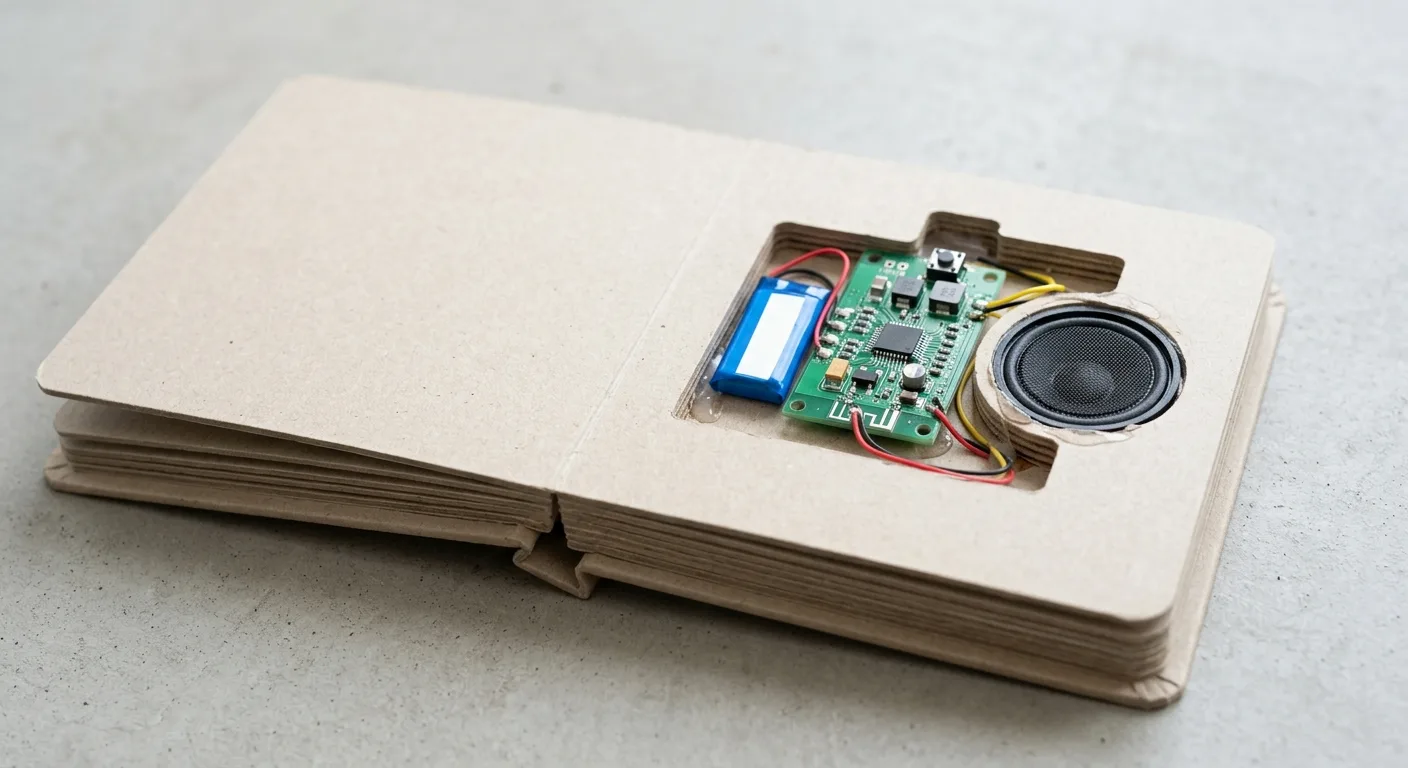
The sound module is the electronic unit that stores audio and responds when a button or trigger is activated. Depending on the project, it may contain the audio memory, control board and connections for switches, speaker and power. Buyers should define the audio plan before requesting a quotation: how many clips are needed, how long each clip is, whether sounds repeat, and whether the book needs narration, music, effects or several languages.
Audio duration and file quality influence memory requirements. Longer recordings, multiple languages and a large sound library may require a different module specification than a book with a few short effects. Source audio should be supplied in the agreed format and named consistently so each file can be matched to its button or page position during programming and sampling.
The speaker changes how the product is experienced. Its size, placement and enclosure affect perceived loudness and clarity. A small speaker can be appropriate for short cues, but narration and music deserve evaluation in a physical sample. Speaker openings must be incorporated into the housing or page design without creating a point that is awkward to hold or easy to obstruct.
Request a pre-production sample that checks the complete chain: pressing the intended control, playing the correct file, acceptable sound clarity, and legible printed guidance. This is especially important where one illustration panel contains many controls or where the book uses sound as a learning prompt.
Sound books are often built as durable board formats. Material choices discussed in the touch-and-feel book manufacturing guide are also useful when an interactive title combines electronic features with flaps, textures or other hands-on elements.
Battery options and power design
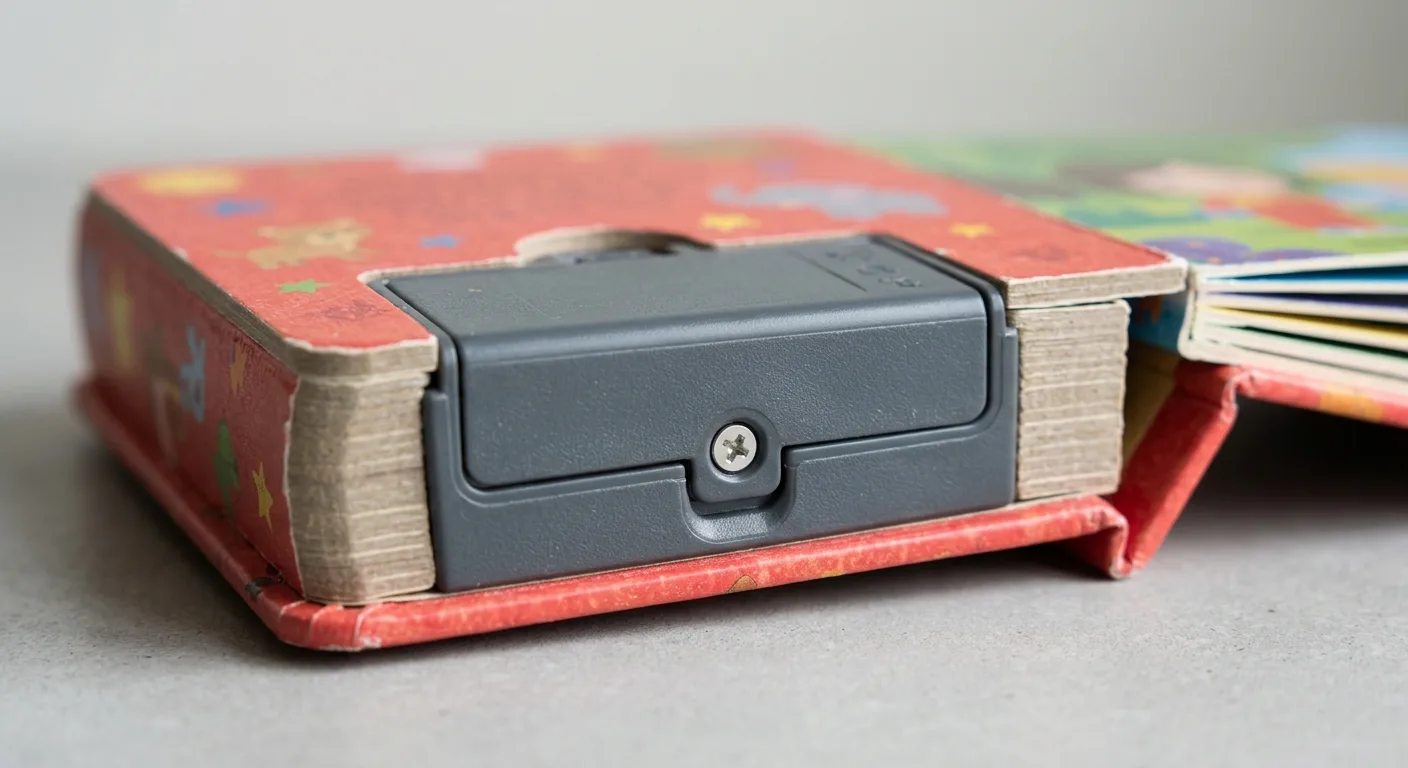
Batteries supply power to the module and speaker. The appropriate battery arrangement depends on audio length, volume, number of activations, module design and the required product format. A sound book quotation should therefore identify the intended audio programme, rather than treating the battery as a separate afterthought.
Common arrangements include replaceable button-cell batteries, replaceable cylindrical batteries or, for some designs, built-in power solutions. Each approach has trade-offs. Replaceable batteries can extend the usable life of the product, but the compartment needs a secure, accessible design and clear product information. A built-in solution may simplify the exterior, but its service life and end-of-life handling should be evaluated for the specific product.
Battery access is a safety-critical part of the structure. For books intended for children, the compartment, closure method and component retention need to be assessed against the applicable rules in the destination market. Requirements vary by product type and market. The buyer is responsible for confirming the requirements that apply to the finished product and should provide target-market information early.
For a practical starting point, see YBJ Printing’s overview of safety standards for children’s book printing. It can help procurement teams identify topics to discuss with their testing, compliance and product teams. It is not a substitute for market-specific regulatory advice or testing.
Battery performance should be checked under realistic use. Test the selected audio at the intended volume, repeatedly activate the buttons, and inspect whether the housing remains stable. Temperature, storage period, battery brand, audio duration and user behaviour can all affect perceived battery life, so it should not be represented as a fixed universal figure.
Housing, board construction and binding
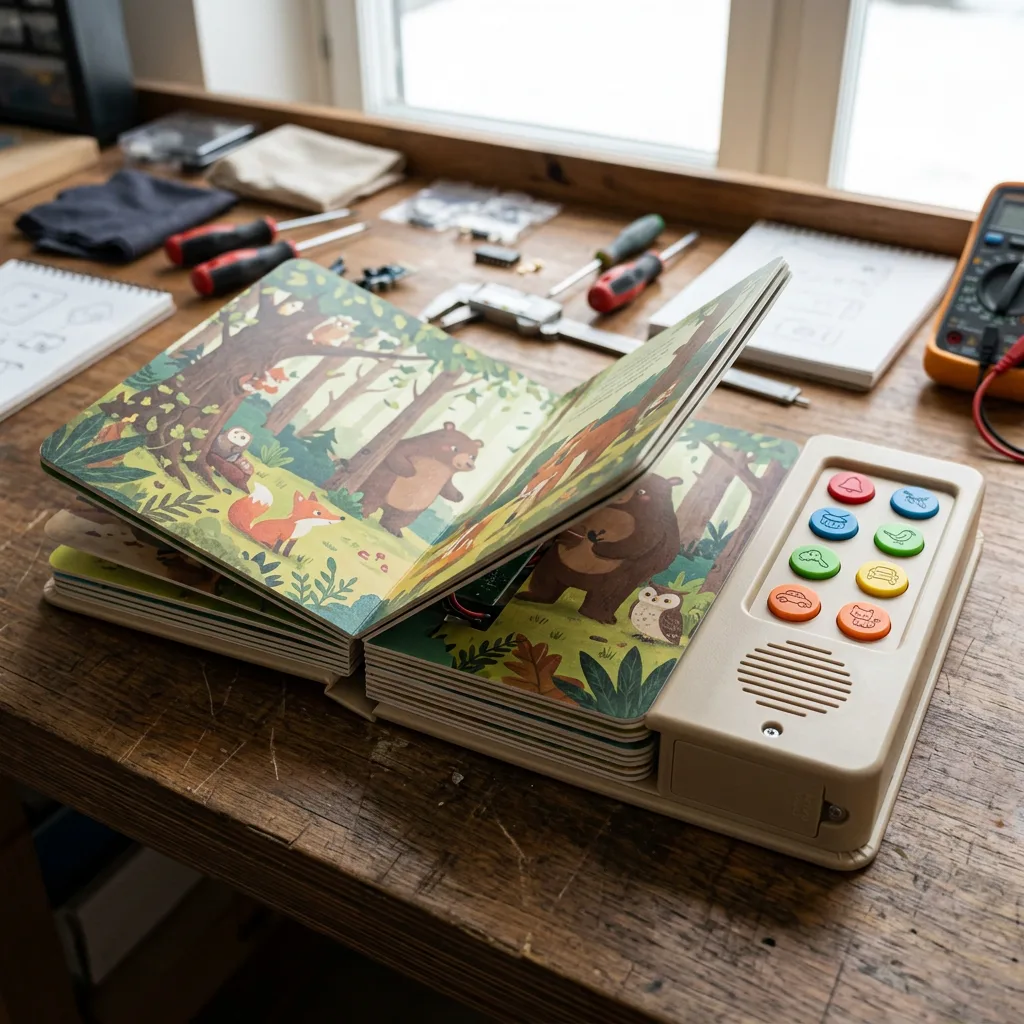
The housing protects the electronic assembly and gives the book its usable shape. It may sit in the front cover, back cover or a dedicated sound panel, depending on the concept. The housing must allow the buttons to function, protect the module and battery area, provide speaker openings, and integrate cleanly with the printed components.
Board thickness, lamination, die-cutting, rounded corners and binding all influence the result. A compact module may suit a cover-mounted arrangement, while a larger control panel may need its own board section. The designer should allow space for the physical components and avoid placing essential text too close to buttons, holes, seams or edges.
For young readers, board book construction is often considered because it better tolerates repeated handling than thin text pages. However, the best format still depends on page count, module position, intended interaction and product weight. A very large electronic panel can make a small book feel unbalanced, while a complex binding can limit where wiring and structural supports can be positioned.
Ask for a structural dummy or prototype early. It allows the team to check hand feel, page opening, button reach, speaker location and balance before locking print files. This is more useful than reviewing a flat PDF alone, because the most important issues are physical.
Buyer checklist before production
Use this checklist when briefing a custom sound book project:
- Define the target age range and destination country or countries.
- Confirm the book format, trim size, page count and preferred binding or board construction.
- List every sound, its purpose, audio duration and intended trigger.
- Specify the number, location and artwork labels for buttons or touch areas.
- Decide whether audio should be user-selected, page-triggered or both.
- Provide final or near-final audio files, with a simple file-name and button-assignment schedule.
- Identify the preferred battery approach and consider access, replacement and product-life expectations.
- Reserve artwork space for housing edges, speaker openings, screws or other functional details where applicable.
- Plan a physical sample review covering print, audio, operation and structural handling.
- Share the quantity, target delivery country and file status when requesting pricing.
Price, lead time and print quality are affected by these choices. Quantity, number of buttons, audio programming, battery specification, custom tooling, board construction, finishing and packaging can change the manufacturing scope. Final production timing also depends on artwork readiness, audio approval, sample confirmation and shipping arrangement.
Common component questions
How many sounds can a children’s sound book have?
The practical number depends on the module memory, audio length, button layout, panel space and target cost. Short effects usually need less storage than narration or songs. Define the full audio list before selecting the component setup.
Can one button play more than one sound?
It can be designed to do so in some projects, for example by cycling through clips. Whether this is suitable depends on the module and the clarity of the user experience. For young children, direct one-button-to-one-sound interaction is often easier to understand.
Should audio be final before sampling?
Final audio is preferable because duration, volume and file assignment affect the programmed sample. A temporary file may be useful for structural development, but changes after approval can require additional programming and checking.
Can sound books include other interactive features?
Yes, but every additional feature should be evaluated with the electronic structure. Flaps, textures, die-cuts and pull tabs require safe clearance and durable assembly around the module and wiring areas.
Conclusion
A successful sound book starts with a coordinated component plan. Buttons define the interaction, the module and speaker deliver the audio, batteries provide power, and the housing and board construction protect the whole assembly. Confirming these details before final artwork helps create a book that is clearer to use and easier to manufacture consistently.
For help scoping a custom sound book, discuss your printing project with YBJ Printing. Share the product type, trim size, page count, quantity, paper or binding preference, finish, file status and destination country, along with your audio and button requirements, for an accurate quotation.